

AVAYA DOCUMENTATION CENTER
Find answers to your technical questions and learn how to use our products
Using IP Office System Status
SSL VPN
Path:
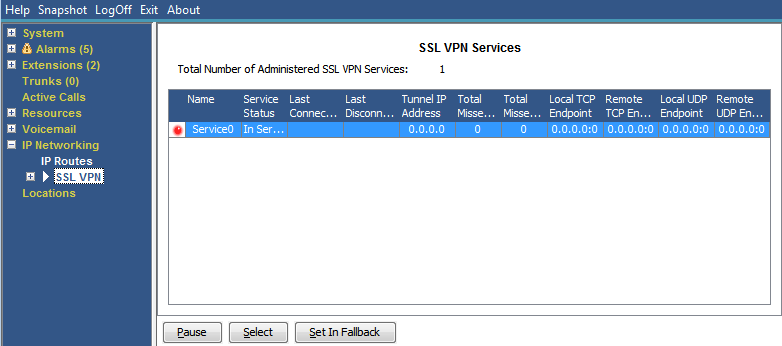
This menu lists the SSL VPN services configured on the system and shows their current status.
Buttons
The following buttons can appear on this screen:
|
Button
|
Description
|
|---|---|
|
Pause
|
Stops the screen from updating. The button label and function changes to Resume when the screen is paused.
|
|
Resume
|
Resumes updating screen in real time. When pressed, the button label and function changes to Pause.
|
|
Select
|
Show details for the currently selected item.
|
|
Set In Fallback
|
Set the currently selected SSL VPN service into fallback status.
|
|
Clear In Fallback
|
Clear the currently selected SSL VPN service's fallback status.
|