

AVAYA DOCUMENTATION CENTER
Find answers to your technical questions and learn how to use our products
Using IP Office System Status
Licenses
Path:
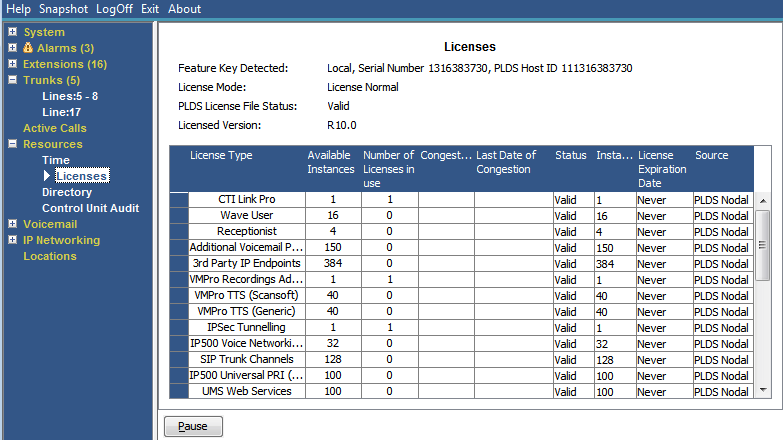
This screen shows the current installed licenses and the status of those licenses. It also shows the type and serial number of the feature key.
Buttons
The following buttons can appear on this screen:
|
Button
|
Description
|
|---|---|
|
Pause
|
Stops the screen from updating. The button label and function changes to Resume when the screen is paused.
|
|
Resume
|
Resumes updating screen in real time. When pressed, the button label and function changes to Pause.
|
|
Renew Licenses
|
Force the system to immediately revalidate its license entitlements rather than waiting for the next automatic check.
|