

AVAYA DOCUMENTATION CENTER
Find answers to your technical questions and learn how to use our products
Deploying Avaya IP Office™ Platform SSL VPN Services
Using the On-boarding SDK
SSL VPN Configuration Process using the On-boarding SDK
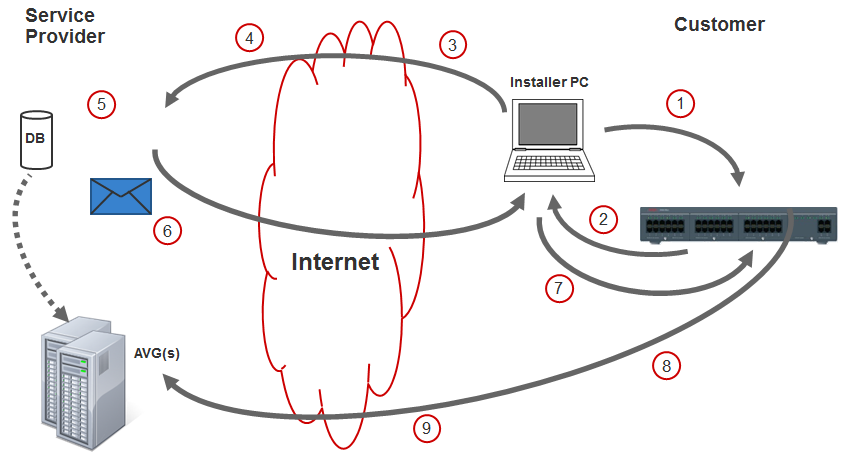
1 |
Configure the following IP Office settings.
|
2 |
At the customer site, download the inventory XML file from IP Office to the installer PC. |
3 |
Upload the inventory file to the Partner site. |
4 |
Store the SSL VPN credentials in the database. |
5 |
Run the On-boarding SDK tool. |
6 |
Email or upload the on-boarding xml file to the installer PC. |
7 |
Upload the on-boarding xml file to the IP Office. |
8 |
The SSL VPN service connects to the AVG. |
9 |
Use SSA to verify SSL VPN connectivity. |