AVAYA DOCUMENTATION CENTER
Find answers to your technical questions and learn how to use our products
What is New in Avaya Aura® Release 10.2.x
Solution Deployment Manager Client
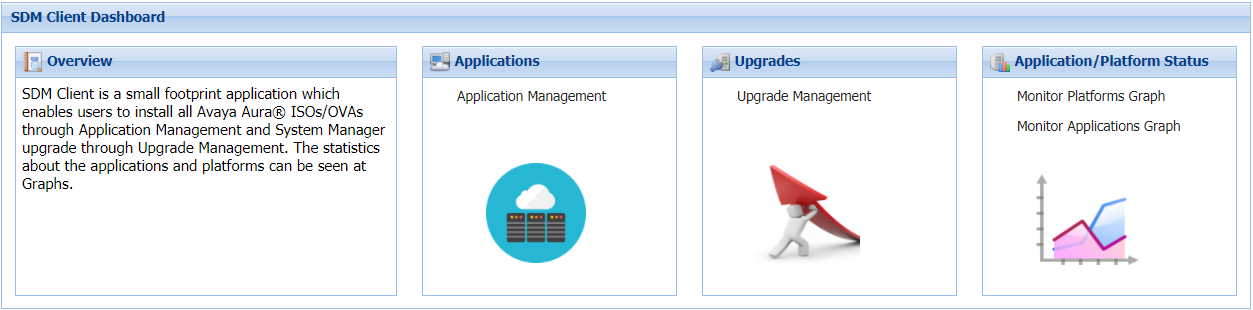
For the initial System Manager deployment or when System Manager is inaccessible, you can use the Solution Deployment Manager client. The client must be installed on the computer of the technician. The Solution Deployment Manager client provides the functionality to deploy the OVAs or ISOs on an Avaya-provided server, customer-provided Virtualized Environment, or Software-only environment.
A technician can gain access to the user interface of the Solution Deployment Manager client from the web browser.
Use the Solution Deployment Manager client to:
Deploy System Manager and Avaya Aura® applications on Avaya appliances, VMware-based Virtualized Environment, and Software-only environment.
Upgrade VMware-based System Manager from Release 8.1.x or 10.1.x to Release 10.2 and later.
Install System Manager software patches, service packs, and feature packs.
Configure Remote Syslog Profile.
Create the Appliance Virtualization Platform Release 8.x or earlier Kickstart file.
Generate the Avaya Solutions Platform S8300 (Avaya-Supplied ESXi 7.0) Release 5.1 Kickstart file.
Install Appliance Virtualization Platform patches.
Restart and shutdown the Appliance Virtualization Platform host.
Start, stop, and restart a virtual machine.
Change the footprint of Avaya Aura® applications that support dynamic resizing. For example, Session Manager and Avaya Breeze® platform.
Note:
You can deploy or upgrade the System Manager virtual machine only by using the Solution Deployment Manager client.
You must always use the latest Solution Deployment Manager client for deployment.
Solution Deployment Manager does not support that application deployment on Avaya Solutions Platform 130 and Avaya Solutions Platform S8300 Release 6.0.
Solution Deployment Manager and Solution Deployment Manager Client does not support KVM on RHEL 8.10 images for a virtualized environment.