

AVAYA DOCUMENTATION CENTER
Find answers to your technical questions and learn how to use our products
Installing the Avaya Solutions Platform 130 Series
HealthCheck tool registration process
HealthCheck tool registration feature initiates Technical Onboarding that can be divided into four steps. Only the first step has to be completed by the user manually. The other three steps are automated and completed by Avaya backend.
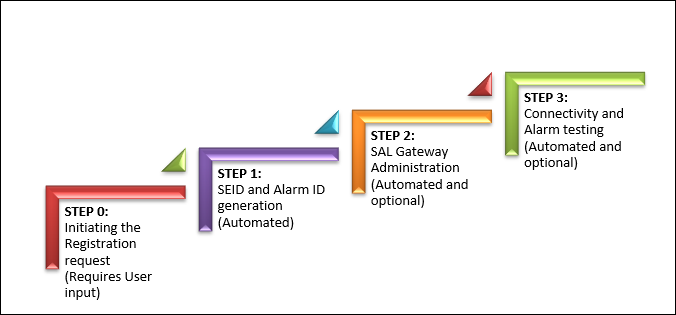
An Avaya user initiates the product registration request from the HealthCheck Tool.
HealthCheck submits the registration request to Avaya backend where SEID and Alarm ID for the device is generated.
HealthCheck portal verifies if the user has opted for SAL Administration and if the provided details are correct. SAL Administration request is then forwarded to SAL Gateway.
HealthCheck portal verifies if Alarm testing is enabled and forwards the request to Avaya backend.
HealthCheck Tool sends an email to the user once the request is submitted, and the request is completed with a link of the Status page on the HealthCheck Tool UI.