AVAYA DOCUMENTATION CENTER
Find answers to your technical questions and learn how to use our products
Maintaining and Troubleshooting Avaya Solutions Platform 130 Series
Replacing the PERC H750 RAID Controller
Before you begin
Ensure that you locate the following components on the system motherboard. Refer to the label located on the inside of the server lid.
PERC H750 Controller
PERC H750 Controller cable connector (SAS Cables)
Caution:
Always practice safe electrostatic discharge procedures. For more information, see Electrostatic discharge safety.
Warning:
These steps are service impacting, conduct this activity during a customer approved maintenance window.
Procedure
- If the Raid battery is not installed in replacement PERC card remove the battery from the failed PERC card and insert in the new replacement PERC card. See Chapter 10 Raid Battery for additional information if needed.
Figure : 1. Disconnect SAS Cable from H750 connector
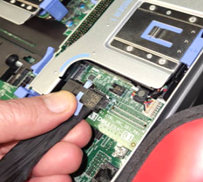
Figure : 2. Remove the expansion riser 1B (2 CPU systems)
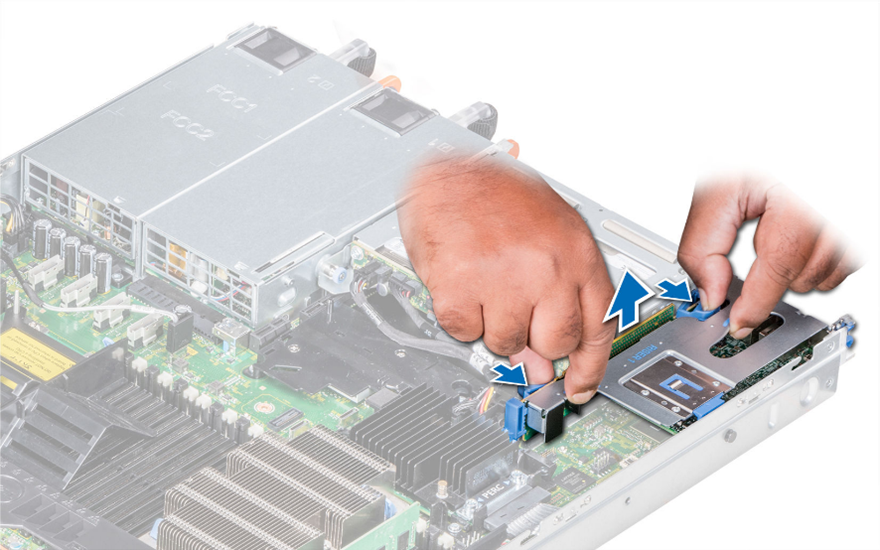
Figure : 3. Remove expansion riser 1A (1 CPU systems with H730P or H750 RAID Controller)
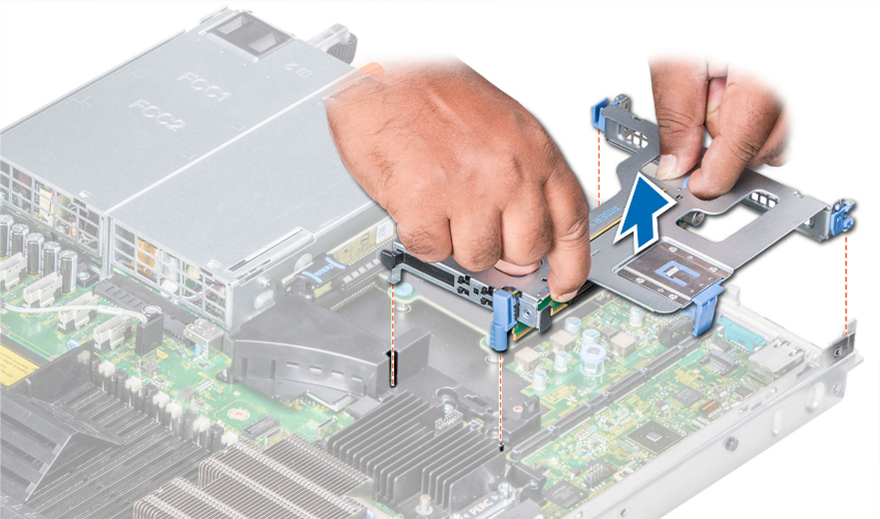
Figure : 4. Turn over the expansion riser, open the blue card retainers and remove the bad H750 RAID controller
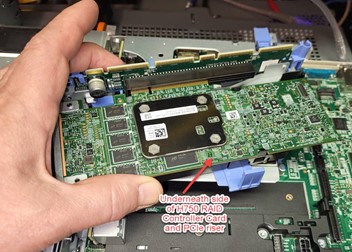
Figure : 5. Insert replacement H750 into riser’s PCIe connector using connector key and faceplate to ensure card is aligned and inserted correctly. Close card retainers once H750 is fully inserted into riser connector
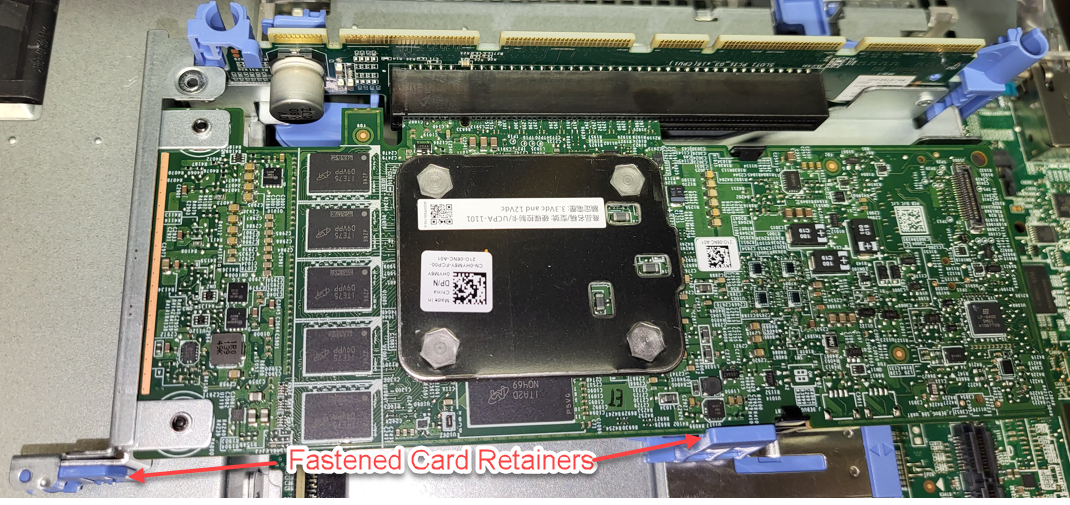
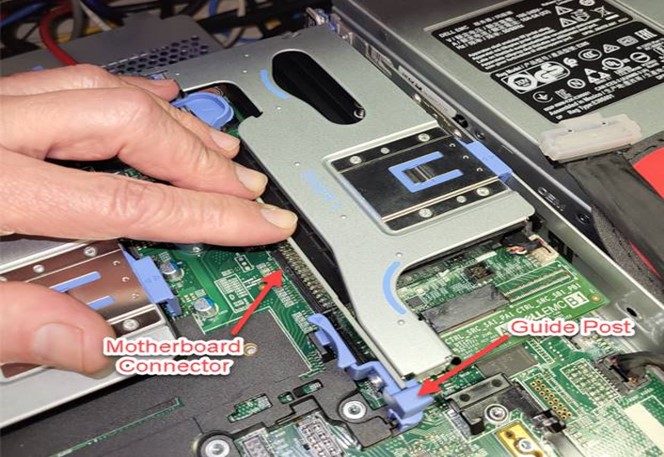
Figure : 6. Turn riser over and reinsert expansion riser into the server motherboard connector using the connector guidepost. Firmly seat the riser into its connector and connect SAS cable to newly inserted H750