

AVAYA DOCUMENTATION CENTER
Find answers to your technical questions and learn how to use our products
Maintaining and Troubleshooting Avaya Solutions Platform 130 Series
Replacing cooling fans
About this task
Use this procedure to replace cooling fans.
Before you begin
Warning:
Opening or removing the system cover when the system is on may expose you to a risk of electric shock. Exercise utmost care while removing or installing cooling fans if the system is still running.
The cooling fans are hot swappable. To maintain proper cooling and not to have system automatically shutdown, replace only one fan at a time.
Note:
Even though fans are considered hot swappable, Avaya recommends shutting down the applications/server before replacing a fan.
Procedure
- Remove the cooling fan.
- Holding the touch points on the cooling fan, lift the fan to disconnect the connector on the fan from the connector on the system board.
- Lift the fan out of the system.
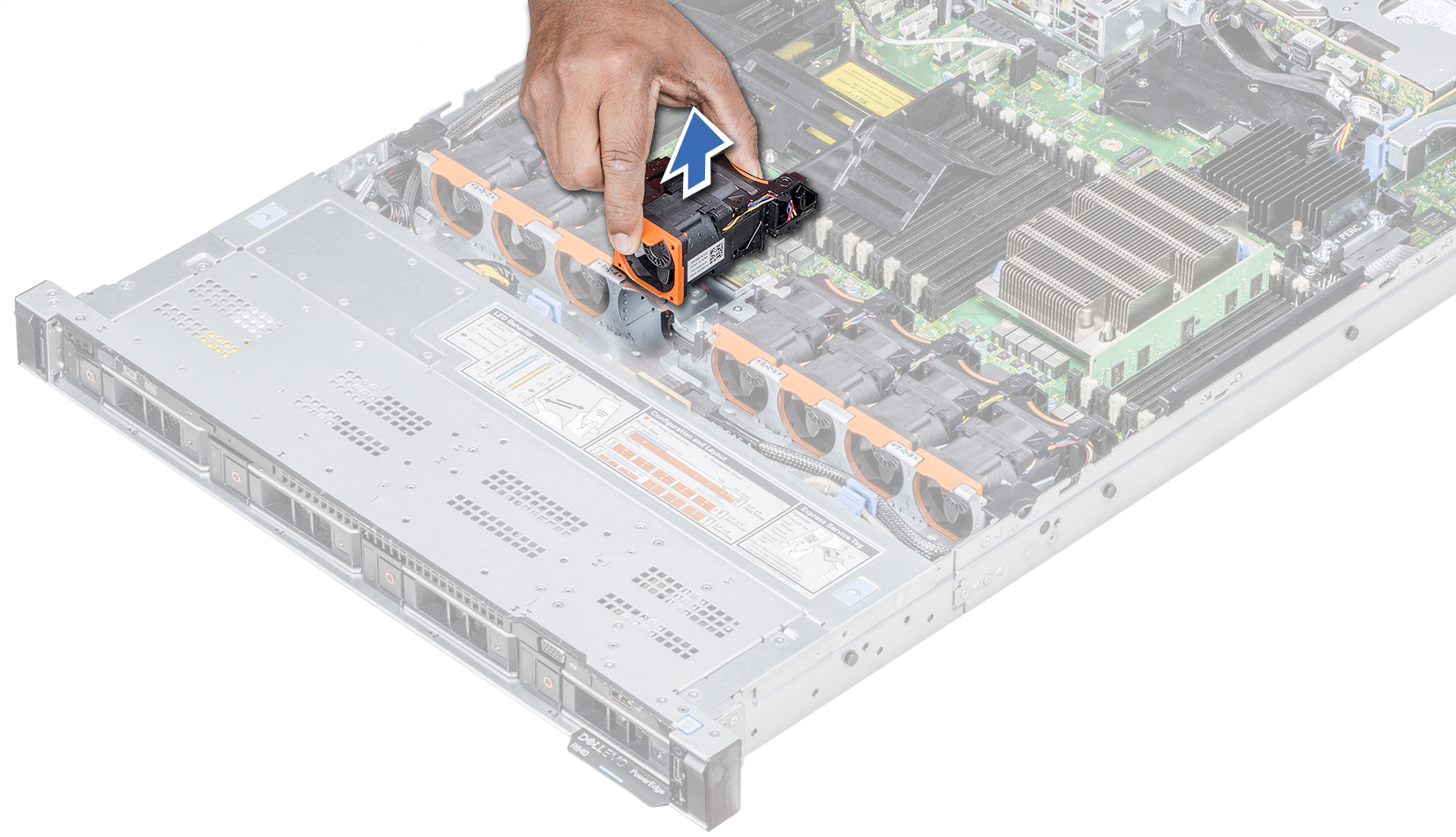
- Install the cooling fan.
- Holding the touch points on the cooling fan, align the connector on the cooling fan with the connector on the system board.
- Push the cooling fan, by pressing on the touch point, until the fan is firmly seated on the connector.
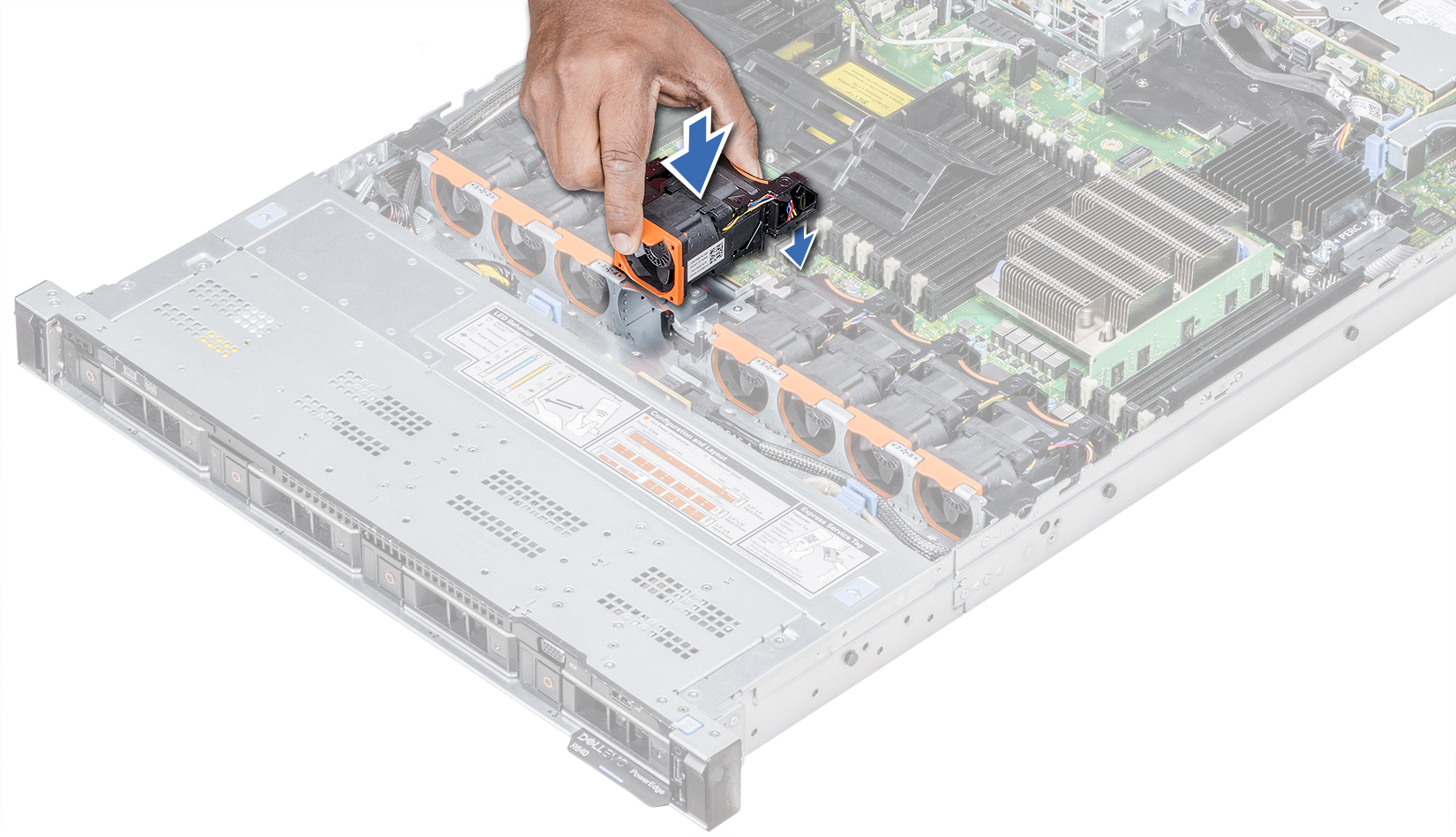
- Reinstall the system lid and review fan status.