

AVAYA DOCUMENTATION CENTER
Find answers to your technical questions and learn how to use our products
Maintaining and Troubleshooting Avaya Solutions Platform 130 Series
Left control panel view
The system health and system ID indicator is located on the left control panel of the system.
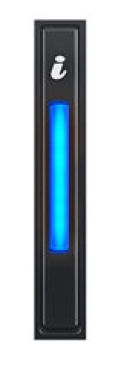
System health and system ID indicator code |
Condition |
|---|---|
Solid blue |
Indicates that the system is powered on, is healthy, and system ID mode is not active. Press the system health and system ID button to switch to system ID mode. |
Blinking blue |
Indicates that the system ID mode is active. Press the system health and system ID button to switch to system health mode. |
Solid amber |
Indicates that the system is in fail-safe mode. If the problem persists, additional investigation is required. |
Blinking amber |
Indicates that the system is experiencing a fault. Check the System Event Log for specific error messages. |