AVAYA DOCUMENTATION CENTER
Find answers to your technical questions and learn how to use our products
Maintaining and Troubleshooting Avaya Solutions Platform 130 Series
Replacing the PERC H755 RAID Controller
About this task
Use this procedure to replace the PERC H755 RAID Controller.
Before you begin
Warning:
Opening or removing the system cover when the system is on may expose you to a risk of electric shock. It is required to shutdown the applications/server prior to replacing the PERC H755 RAID Controller.
Ensure that you locate the following components on the system motherboard: Reference the front PERC (front loading) portion of the label located on the inside of the server lid.
PERC H755 Controller
PERC H755 Controller cable connector (SAS Cables)
Warning:
Always practice safe electrostatic discharge procedures. For more information, see Electrostatic discharge safety.
Warning:
These steps are service impacting, conduct this activity during a customer approved maintenance window.
Procedure
- Remove the drive backplane cover.
- Lift the backplane cover from the system.
Figure : 1. Backplane cover removal
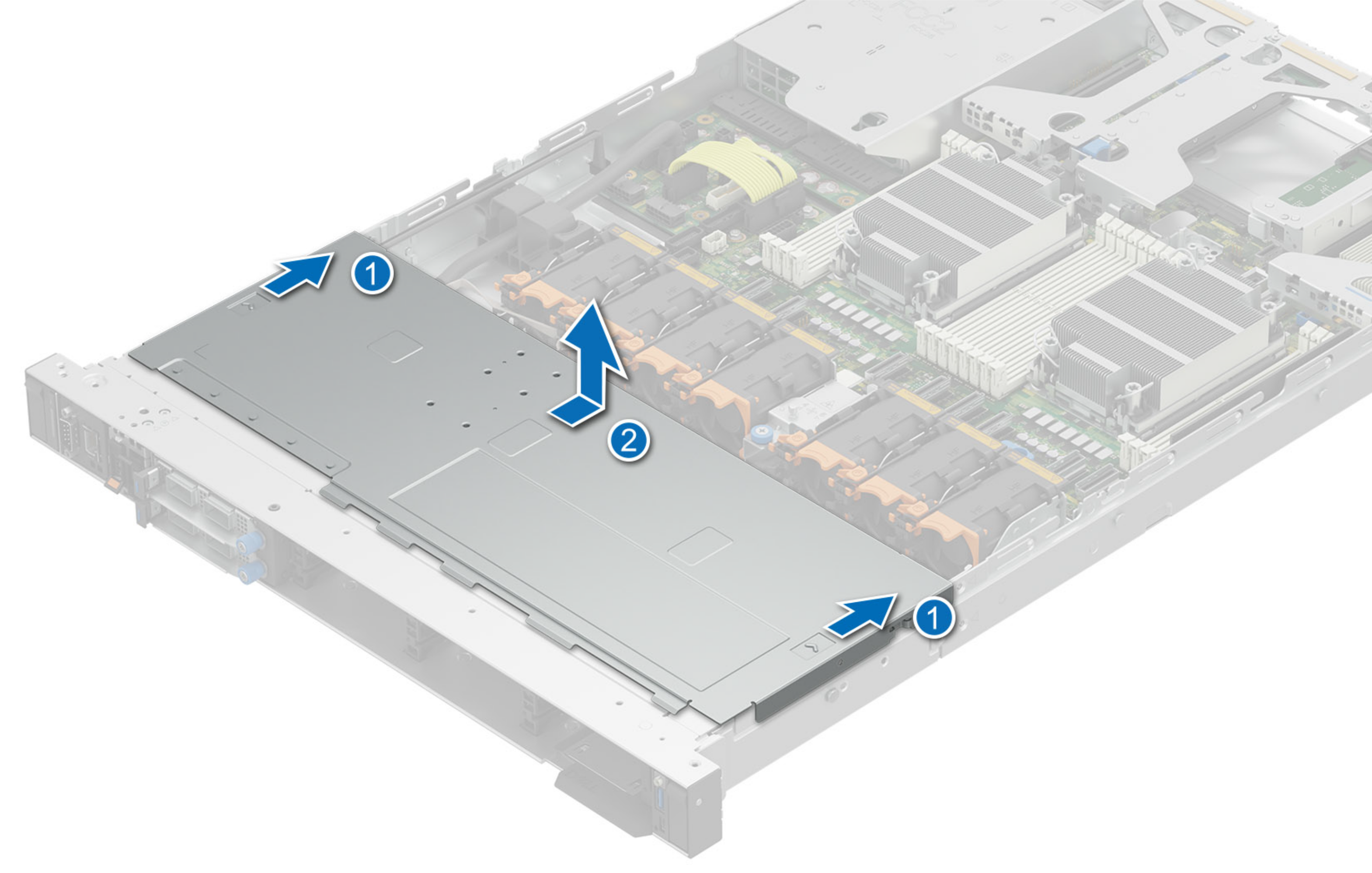
- Lift the backplane cover from the system.
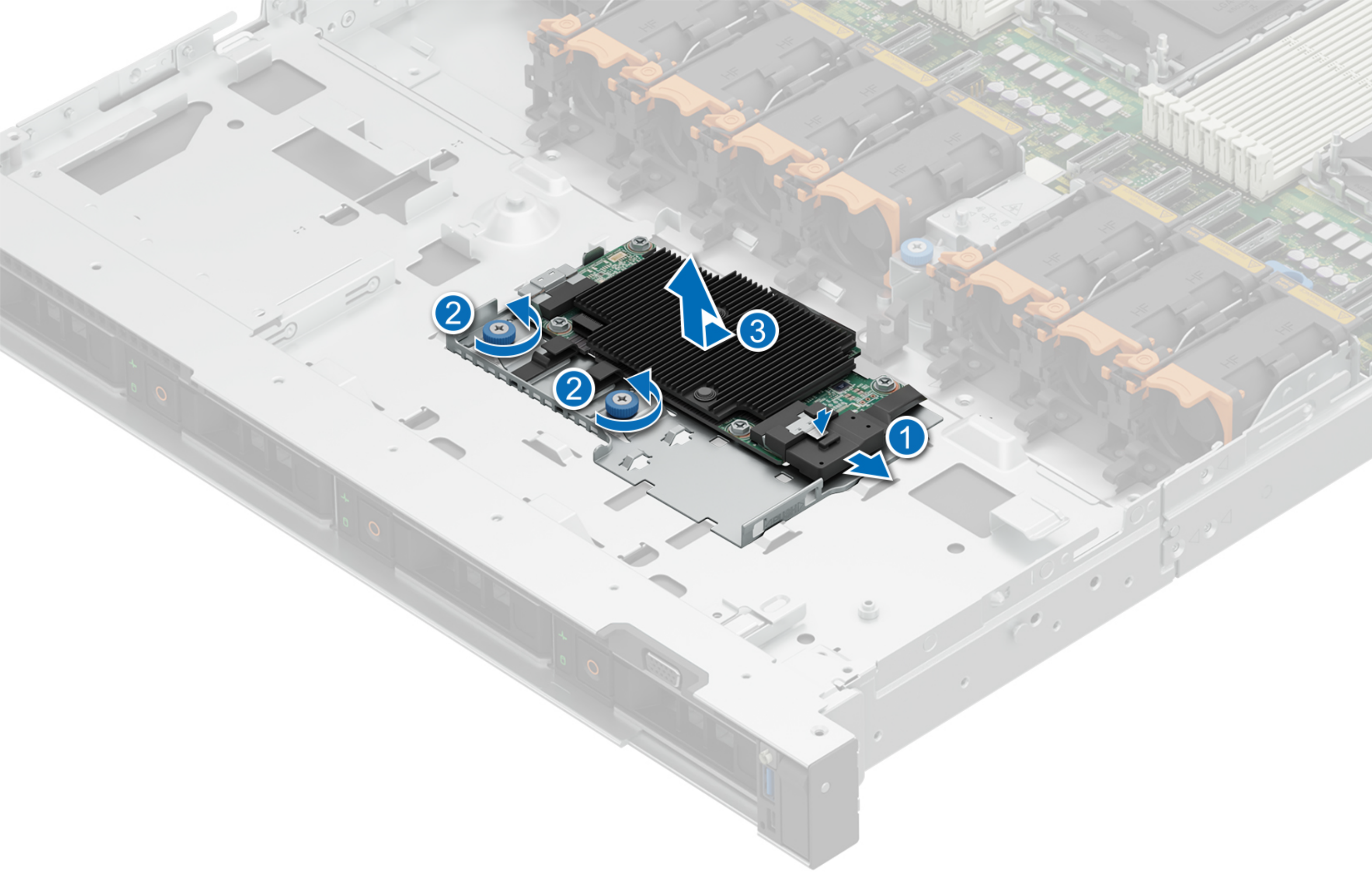
- Tilt and lift the front PERC module out of the system.
Note:
The numbers on the image below do not depict the exact steps. The numbers represent the sequence of removal.
Figure : 2. Removing PERC module