AVAYA DOCUMENTATION CENTER
Find answers to your technical questions and learn how to use our products
Deploying Avaya Wireless DECT with IP Office
Loading Phone Templates into Device Manager
About this task
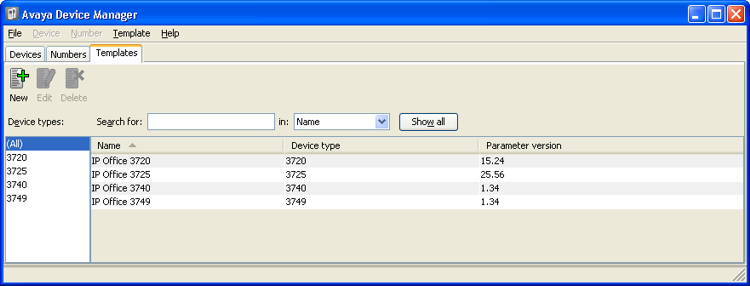
Templates allow you to apply common settings to phones and chargers. The IP Office Avaya Wireless DECT software set includes default templates for 3700 Series phones that allow those phones to access IP Office functions (see IP Office User Features) through the phone menus.
The use of the Device Management Application to load templates is not supported for systems installed and maintained using IP Office provisioning mode. In that mode, the IP Office automatically applies settings that match those detailed in IP Office User Features.
Procedure
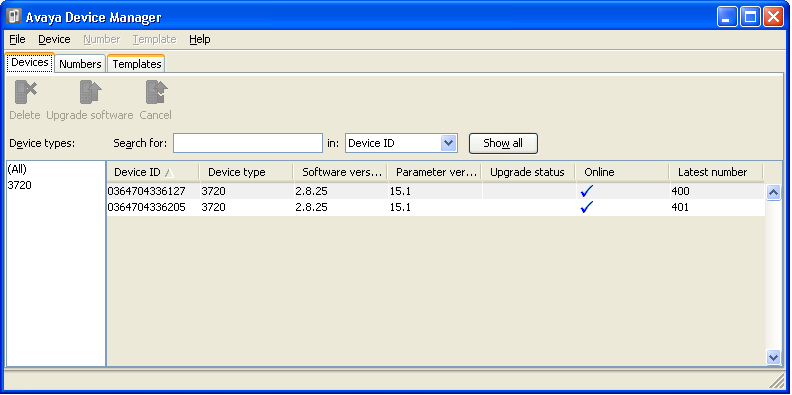
- Select the Devices tab. The phones subscribed to the DECT system should be listed.
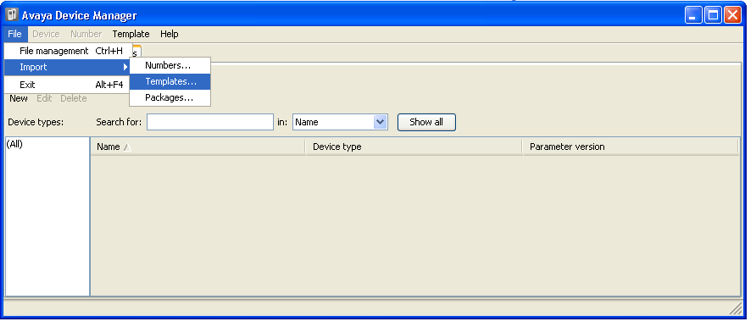
- Select File | Import | Templates... .
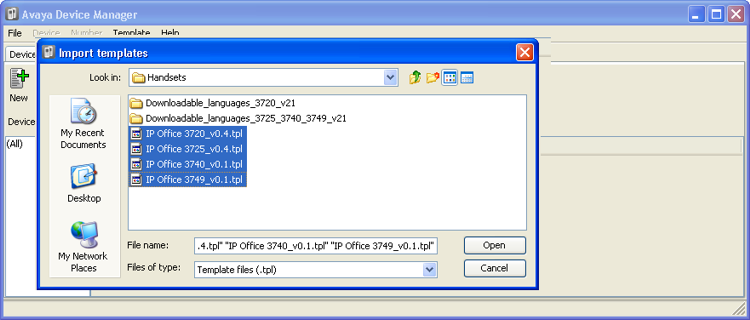
- Browse to the previously unpacked software and select the .tpl template files.
- Click Open. The template files are loaded into Avaya Device Manager.