

AVAYA DOCUMENTATION CENTER
Find answers to your technical questions and learn how to use our products
Avaya CMS Supervisor Report Designer
The Select Chart Format page
Use the Select Chart Format page to define the format of your chart. The default is a vertical 2D bar chart that displays the data by value.
Example
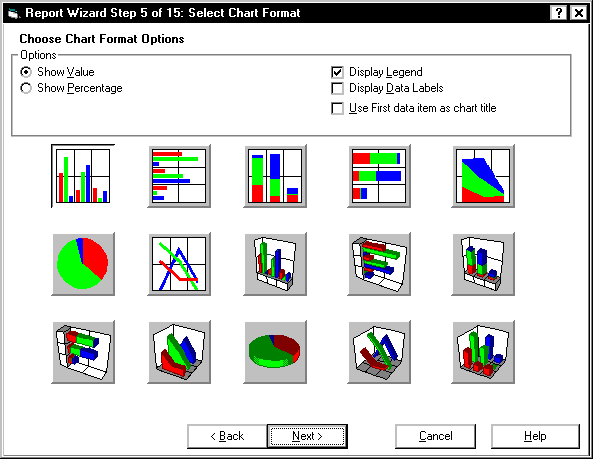
Select Chart Format field descriptions
The following fields are located on the Select Chart Format page.
Name |
Description |
|---|---|
Show Value |
Displays your data as a numeric value. |
Show Percentage |
Displays your data as a percentage. |
Display Legend |
Displays a legend of the data items in the right corner of the chart. |
Display Data Labels |
Displays the data labels on your report. The data labels are displayed as either values or percentages. |
Use First data item as chart title |
Uses the first data item as the title. |