AVAYA DOCUMENTATION CENTER
Find answers to your technical questions and learn how to use our products
Avaya CMS Supervisor Report Designer
About the Chart Assistant window
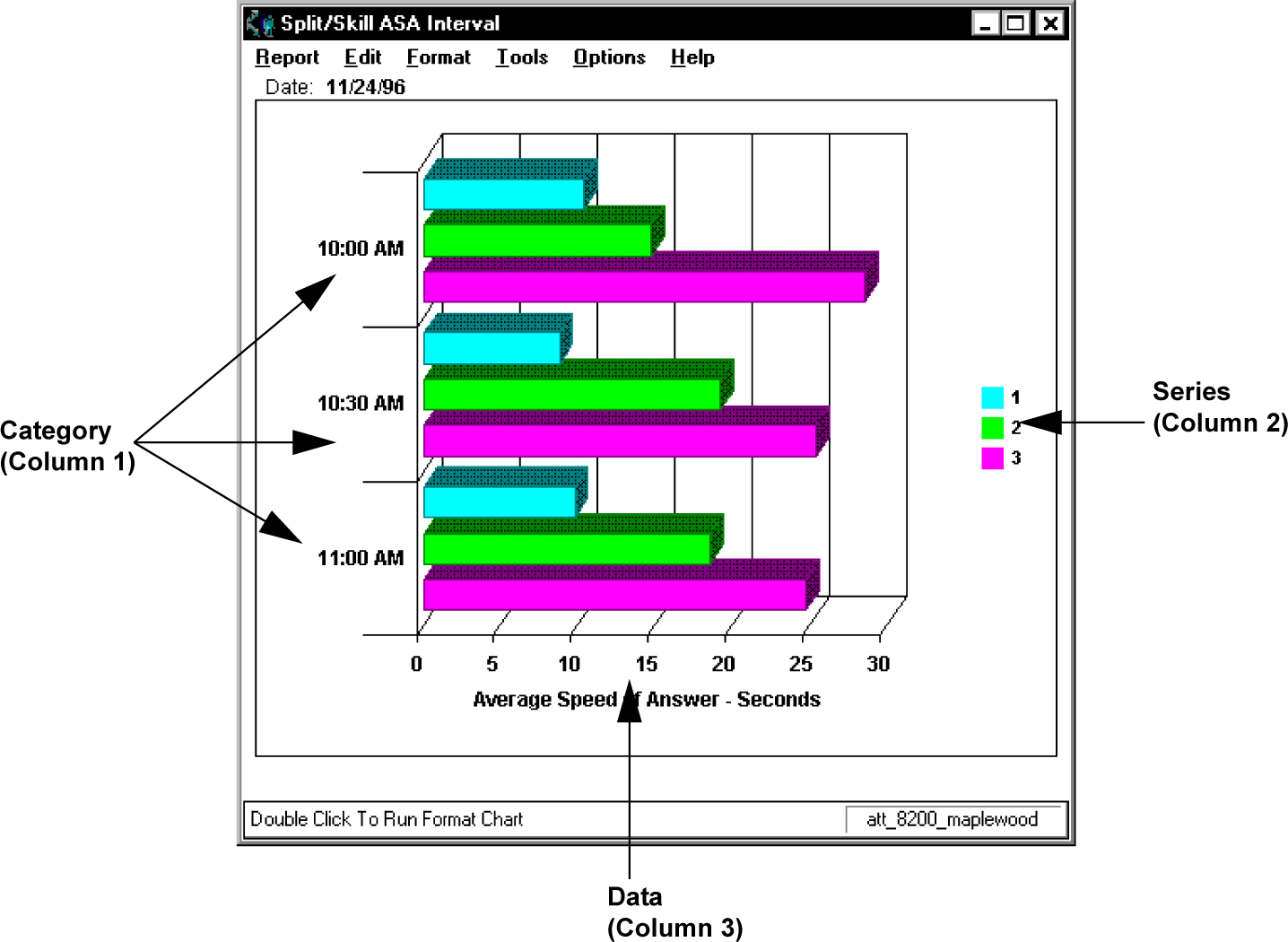
Use this window to define how the data will be displayed on the axis of the chart. There are three columns used to define the category and series for the chart. The information gathered by each column is as follows:
Name |
Description |
|---|---|
Column 1 |
Category (can be none ) |
Column 2 - Series (usually Split) |
Series (usually Split) |
Column 3 |
Data |
In the following example, the Category (Column 1) is the Time that was selected on the input window, the Series are the Splits that were selected on the input window, and the Data is the data that was retrieved from the Avaya Call Management System (CMS) database for those splits/skills on the specified date for the specified time period.
Example