

AVAYA DOCUMENTATION CENTER
Find answers to your technical questions and learn how to use our products
Avaya CMS Supervisor Report Designer
The Selection Layout page
The Selection Layout page lets you choose which section of the report you want to design.
Report Wizard will take you to this page only if you selected a report layout that contains a table and a chart, two tables, or two charts.
Example
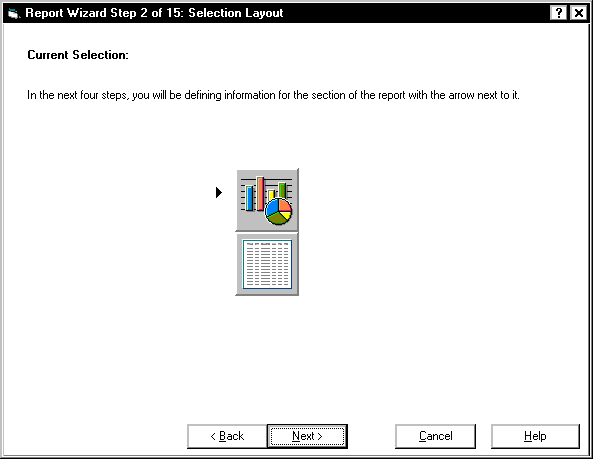
Defining sections
The following table describes the sections of the report.
Section |
Description |
|---|---|
 |
A section that is pressed, with an arrow pointing to it, is the section you are about to define. |
 |
A section that is not pressed, without an arrow, is the section you have not defined. |