

AVAYA DOCUMENTATION CENTER
Find answers to your technical questions and learn how to use our products
Avaya Proactive Outreach Manager Integration
Administering Network Region
Configure the network region for the virtual IP softphones.
- On the SAT session, in the Command terminal, type
change ip-network-region n, where n is the network region. - Press Enter.
ADDITIONAL INFORMATION:The system displays the IP Network Region Link screen.
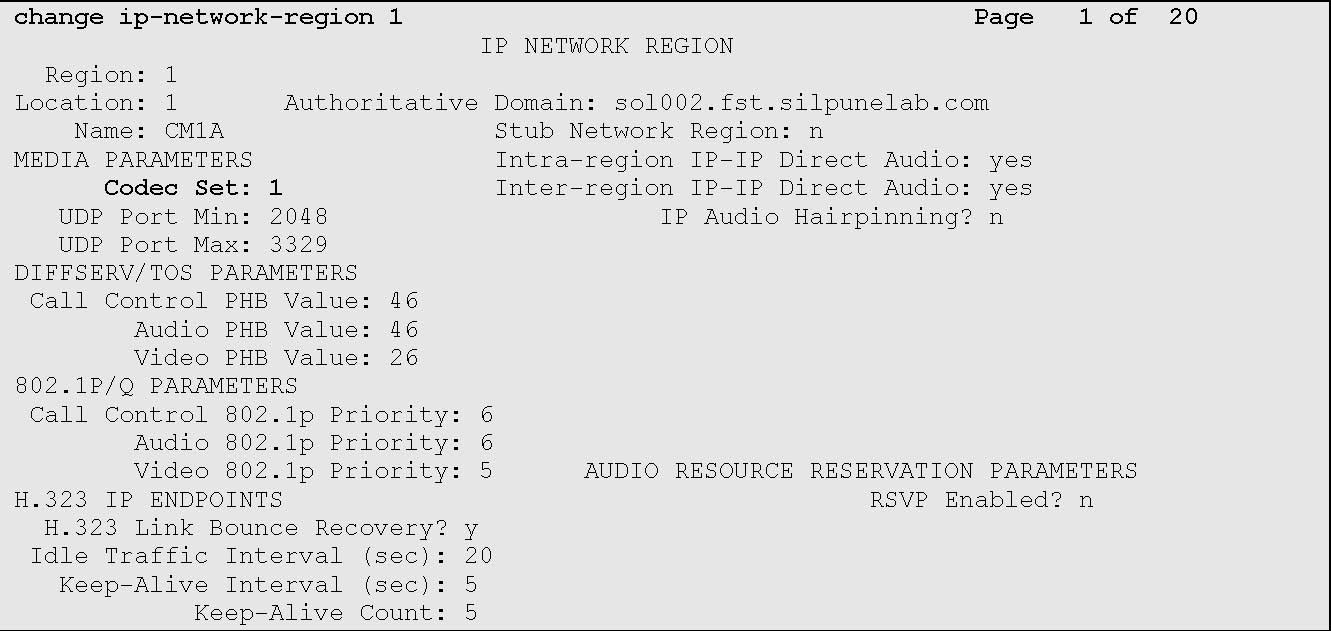
- Type the Codec Set field values as added in the Administer Codec Set.
ADDITIONAL INFORMATION:The IP NETWORK REGION screen displays similar to the one provided below:
- Save the changes.