

AVAYA DOCUMENTATION CENTER
Find answers to your technical questions and learn how to use our products
Avaya Proactive Outreach Manager Integration
Administering Virtual IP Softphones
Configure Virtual IP Softphones to conference into calls involving target stations and to capture media.
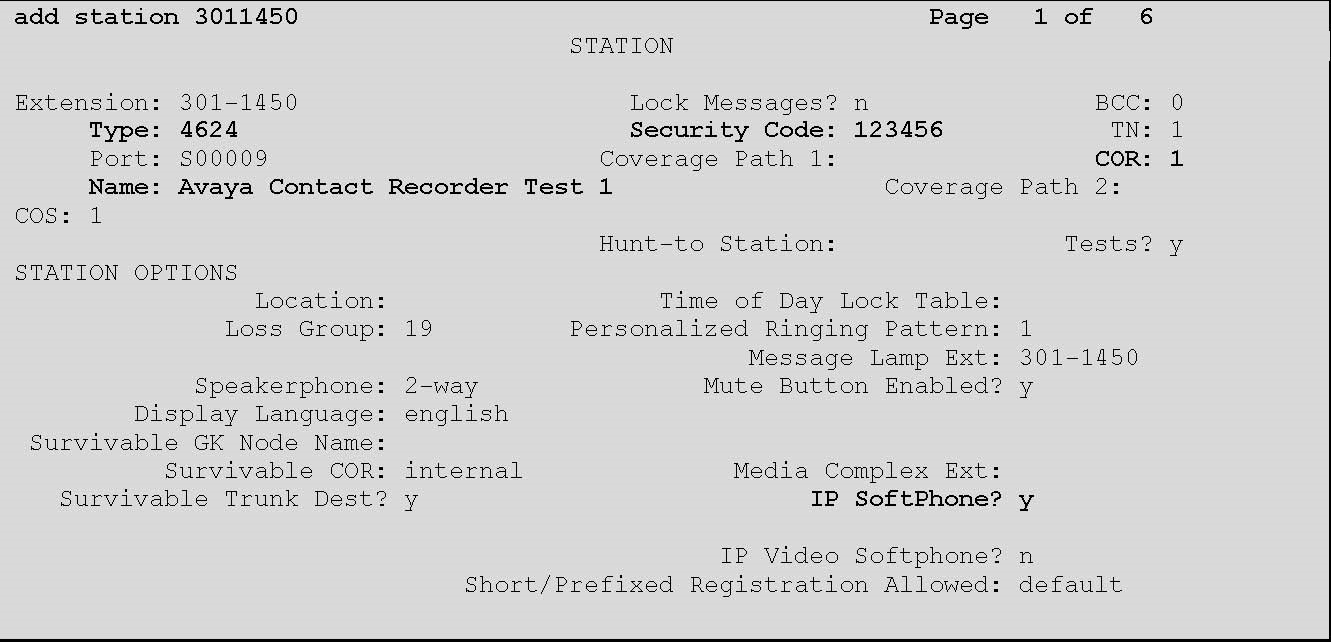
- On the SAT session, in command terminal type, add station n, where n is the available extension number.
- Update the following values:
ADDITIONAL INFORMATION:Type4624NameEnter a descriptive nameSecurity CodeEnter a desired valueCOR1IP SoftPhoneYNote:Retain the default values for the remaining fields.The STATION screen displays similar to the one provided below:
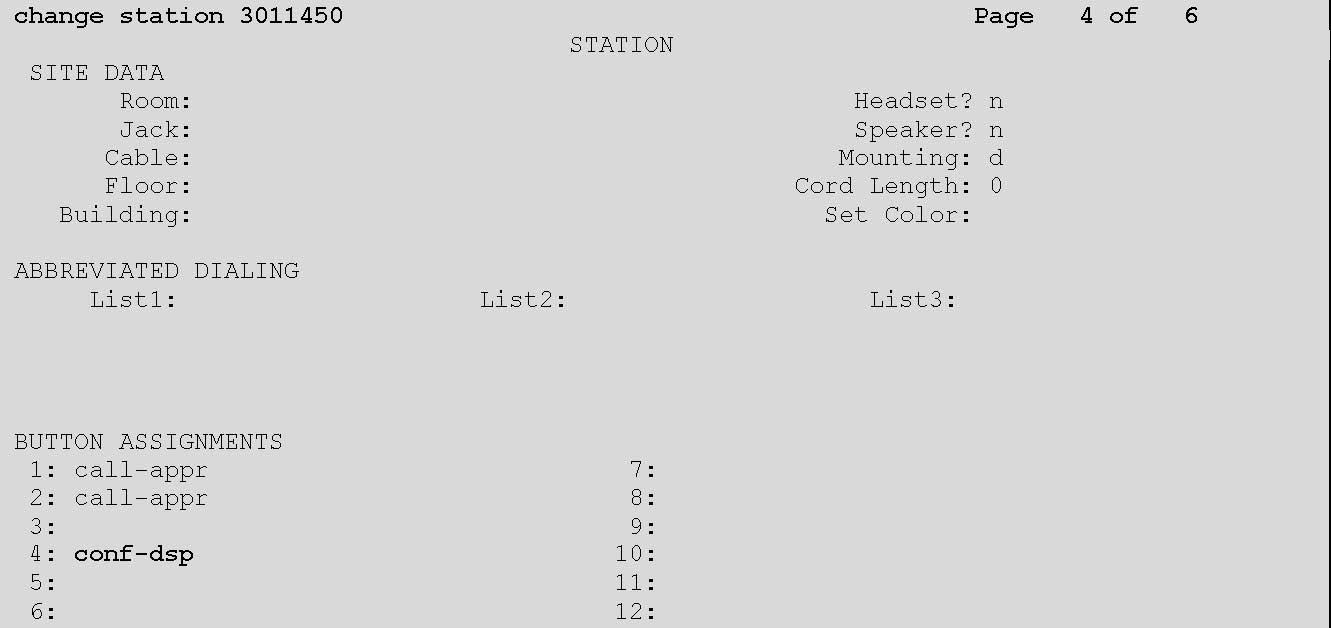
- Navigate to page 4.
- In BUTTON ASSIGNMENT 4 field, type conf-dsp.
- Clear the BUTTON ASSIGNMENT 3 field.
ADDITIONAL INFORMATION:
 Note:Repeat the above steps to administer the desired number of virtual IP softphones, using sequential extension numbers and the same security code for all virtual IP softphones.
 - Save the changes.