

AVAYA DOCUMENTATION CENTER
Find answers to your technical questions and learn how to use our products
Using Avaya Workspaces for CRM for Avaya Experience Platform™ Public Cloud
Accessing the supervisor dashboard
About this task
You can access the supervisor dashboard from Avaya Workspaces for CRM. By default, logged-in agents are displayed, but you can also view offline agents.
Before you begin
Ensure that you are logged in to Avaya Workspaces for CRM as a supervisor.
Procedure
- From the top menu bar in Avaya Workspaces for CRM, click
 .
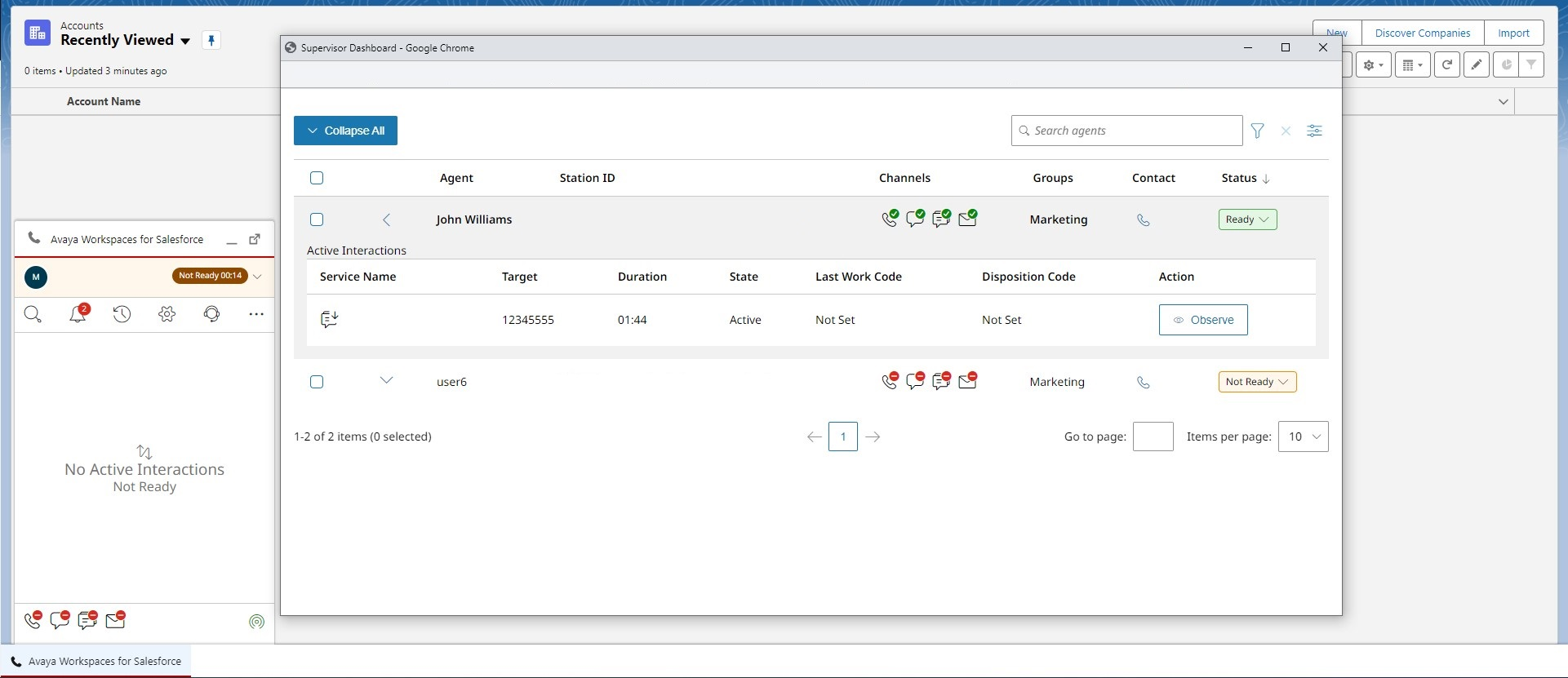
The supervisor dashboard opens in a separate window. It displays the agents in your group with details such as the agent ID, station ID, channels, group, and status (agent state).
.
The supervisor dashboard opens in a separate window. It displays the agents in your group with details such as the agent ID, station ID, channels, group, and status (agent state).Figure : 1. Example of the supervisor dashboard
- Optional To view offline agents in the list, click
 and enable the Show Offline Agents switch.