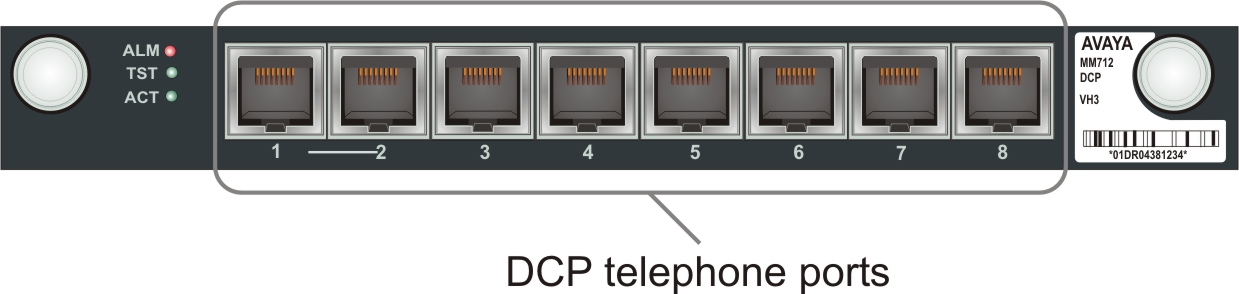
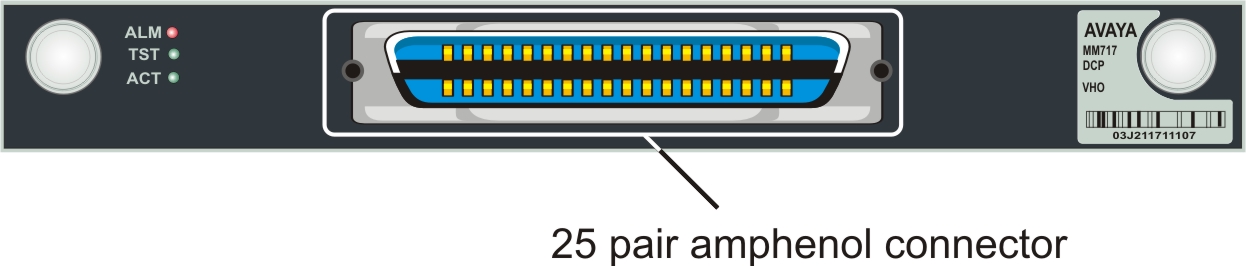
The MM712 media module supports 8 DCP ports and the MM717 media module supports 24 DCP ports, via a single 25-pair amphenol socket on the Branch Gateway front panel.
For a list of supported DCP phones, see AvayaG430 Branch Gateway Overview and Specification.
Warning:
Avaya MM712 and MM717 DCP lines require 146E IROB protectors, or 4C3S-75 solid-state 5-pin protectors when they are used for any connection routed out-of-building. These protection devices provide both overvoltage and overcurrent protection.
Procedure
Wire a telephone port to a DCP port on Branch Gateway.
The following images show the DCP port location on MM712 and MM717 media modules.