AVAYA DOCUMENTATION CENTER
Find answers to your technical questions and learn how to use our products
Deploying and Upgrading Avaya G430 Branch Gateway
Installing the EM200 expansion modules
About this task
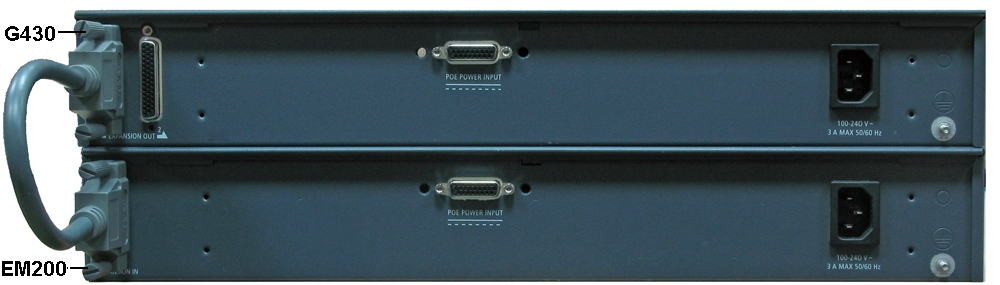
You can extend G430 by attaching one or two EM200 expansion modules. You can mount the EM200 expansion modulesin a rack or on a table, similarly to how you mount G430. You cannot mount a G430 with EM200 modules on a wall.
The cables attaching the EM200 expansion modules to G430 are short, so you must install G430 and EM200s one above the other. If you are mounting G430 and EM200 modules on a table, always place G430 on top of the EM200s. In this case, you can open G430 cover if you need to add or replace a DSP module or the RAM card.
Procedure
- Connect the other end of the expansion cable to the CONNECTOR IN connector on the rear of the EM200.