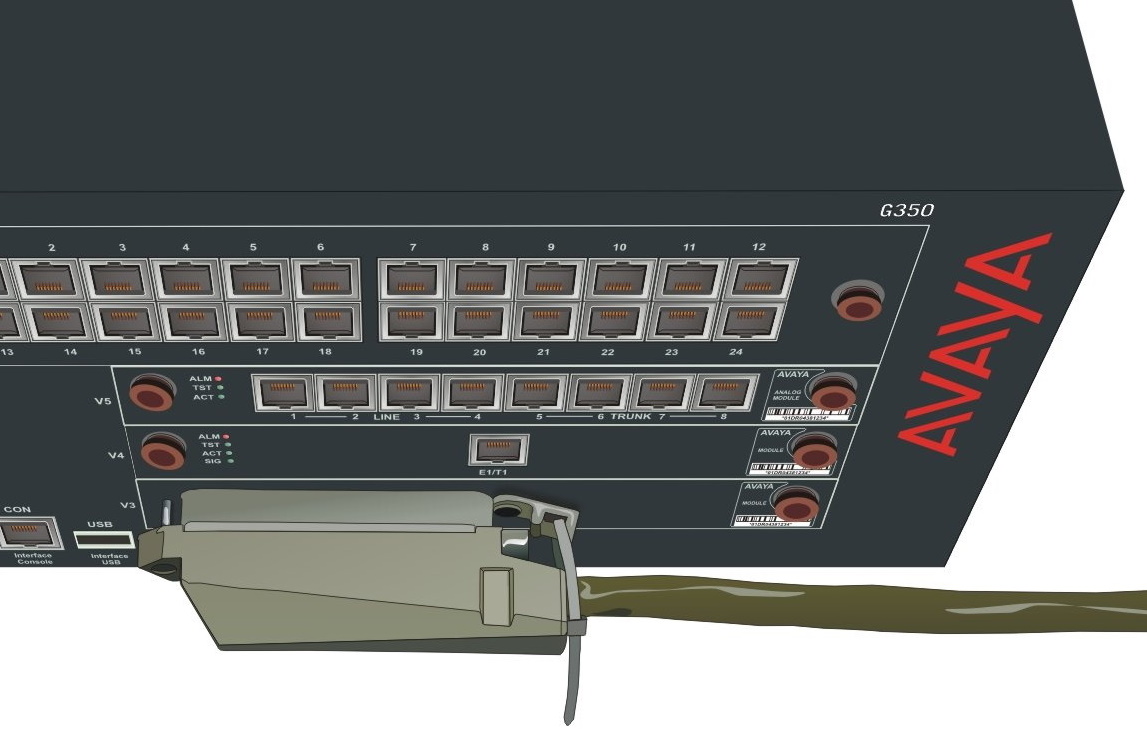
Connect one end of a CAT-5 cable with a 25-pair amphenol connector at each end to the 25-pair socket on the front panel of an MM716 or MM717 media module.
The cable must allow plugging the connector into the media module at an angle of 90˚ to the cable.
Extend the cable to the right of Branch Gateway.
Tighten the end screw of the amphenol connector to securely fasten the connector to the left side of the front panel socket.
Thread a tie wrap through the small bracket to the right of the front panel socket.
Fasten the tie wrap around the cable to secure the cable to the right side of the front panel socket.
The following image shows attaching and securing an amphenol cable to the MM716 or MM717 25-pair socket.
Connect the other end of the amphenol cable to a punch-down block that converts the single amphenol connector to 24 RJ-11 jacks.
You can now connect endpoint devices to the RJ-11 jacks.