

AVAYA DOCUMENTATION CENTER
Find answers to your technical questions and learn how to use our products
Deploying Avaya Aura® Device Services
Rolling back using the Virtual Machine Backup (clone)
If you experience a problem during an upgrade, you can roll back to a state using the cloned virtual machine.
- Log in to the KVM Cockpit web console as custadm in the following format: https://<IP address or FQDN of KVM host>:9090.
- For administration actions, on the top-right of the window, click on the Limited access button.
ADDITIONAL INFORMATION:
Figure: Limited access button  Note:You require administrator access in order to view virtual machines. Administrator access is like root access. Ensure that you take care making updates.
 - In the Switch to administrative access window, enter the password for custadm.
ADDITIONAL INFORMATION:
Figure: Switch to administrative access 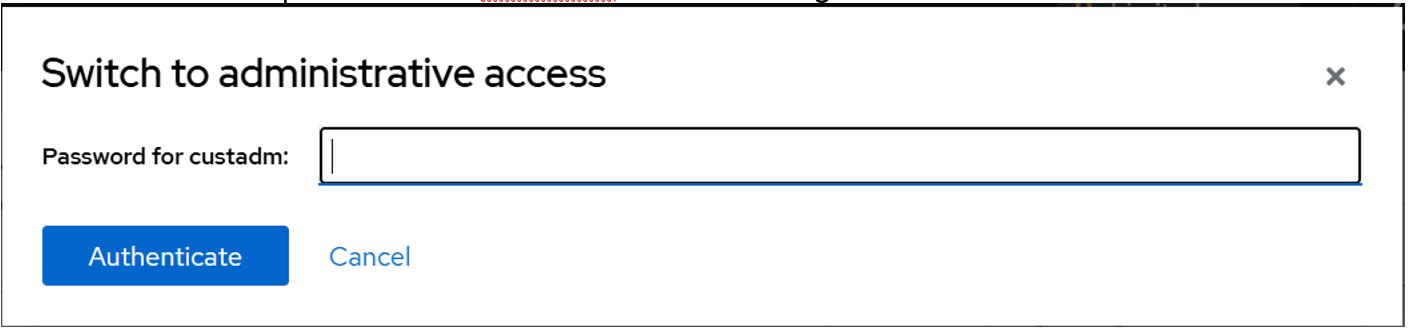 The Limited access button on the top-right of the window changes to Administrative access.
Figure: Administrative access button 
- Navigate to .
- Shut down the original virtual machine.
- Rename the original virtual machine.
ADDITIONAL INFORMATION:For example: Virtual_Machine_Broken
Figure: Roll back VM backup 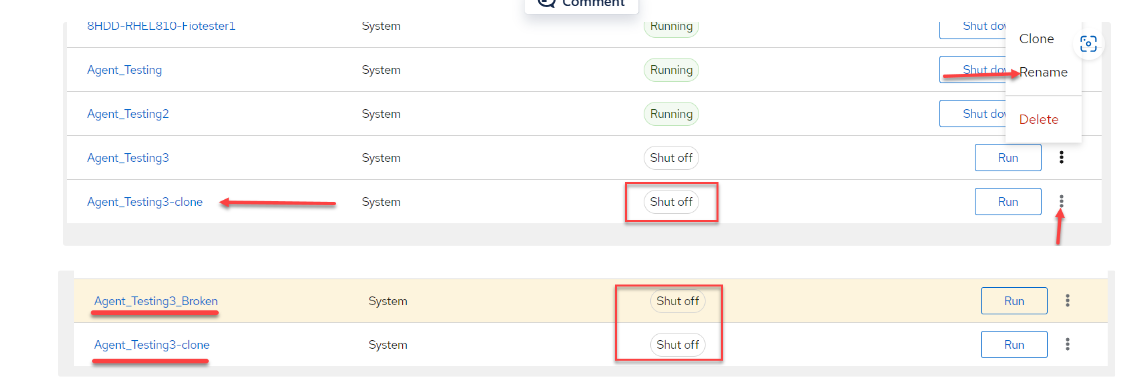
- While still in a power off state, edit the virtual machine clone Label to match the original virtual machine label. This ensures that the cloned virtual machine becomes the original virtual machine.
ADDITIONAL INFORMATION:
Figure: Edit Virtual Machine name 
- Configure the virtual machine that you renamed in step 5 to ensure the network interfaces and state match the broken virtual machine.
ADDITIONAL INFORMATION:For example: bridge0 and state = up
Figure: Network interfaces 
- Power on the virtual machine that you renamed in step 5.
ADDITIONAL INFORMATION:
Figure: Power on 
- Delete any unused backups.