AVAYA DOCUMENTATION CENTER
Find answers to your technical questions and learn how to use our products
Avaya Proactive Outreach Manager Integration
Administering POM Interface
Procedure
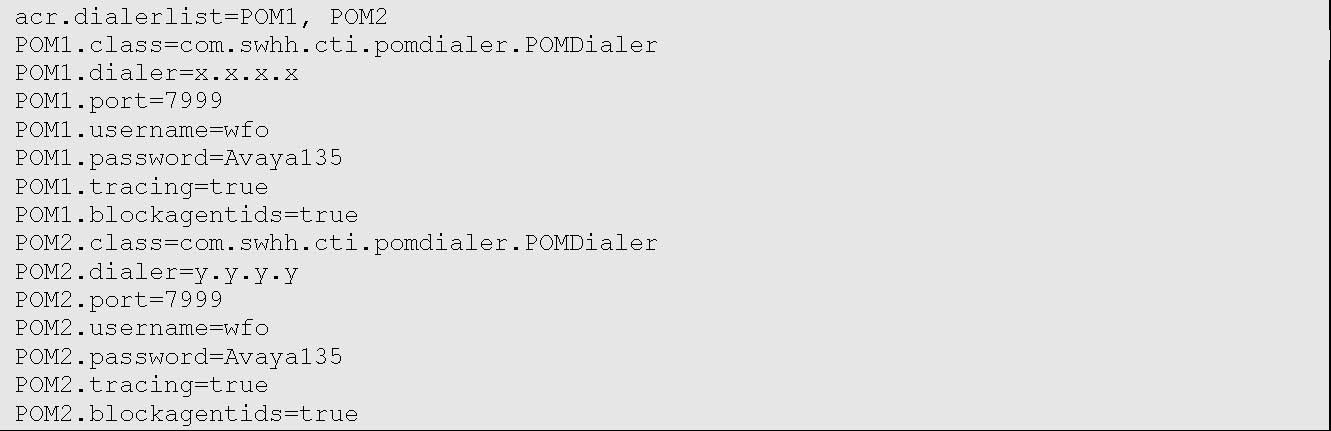
- Edit the Avaya Contact Recorder properties file to include all the following lines:

Note:The Dialer field must be set to the IP address of the POM as obtained in Section Configure POM. The User and Password fields must be set to the user name and password that have the access permission to the POM admin page.
- To separate the dialer list, use “,” delimiter in case of the multiple dialers.
Provide the required information for other dialers as shown below: