

AVAYA DOCUMENTATION CENTER
Find answers to your technical questions and learn how to use our products
Avaya Proactive Outreach Manager Integration
Administering Virtual IP Softphones
About this task
Configure Virtual IP Softphones to conference into calls involving target stations and to capture media.
Procedure
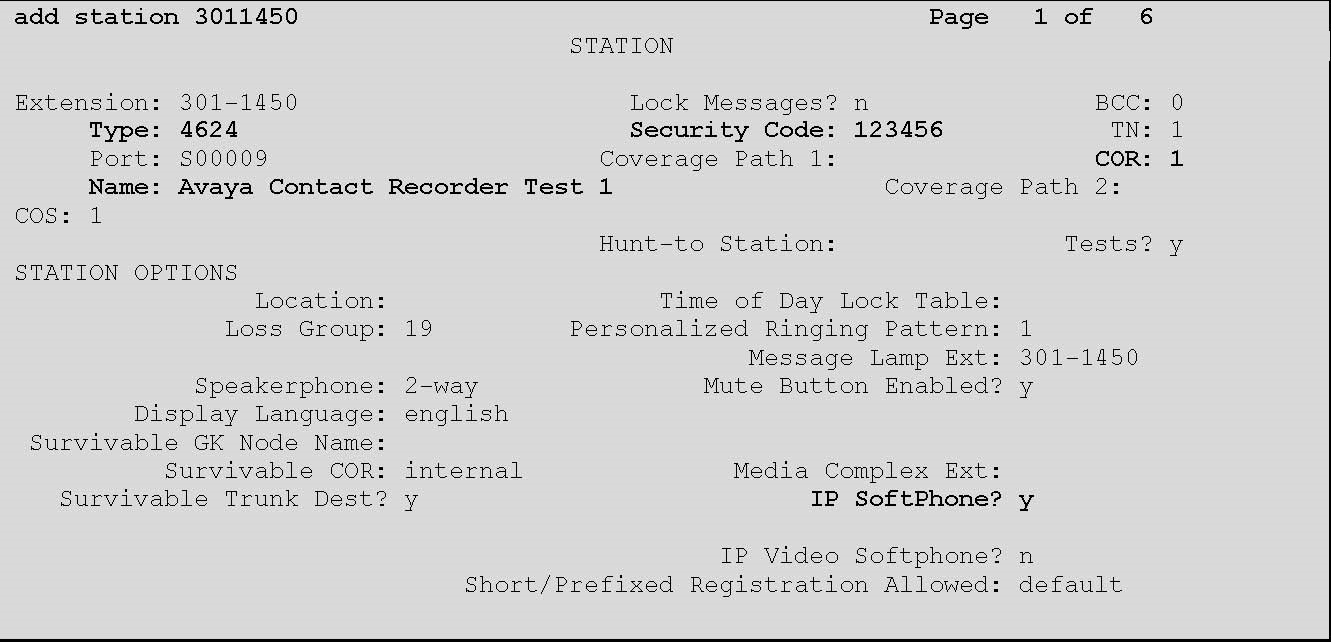
- Update the following values:
Type
4624
Name
Enter a descriptive name
Security Code
Enter a desired value
COR
1
IP SoftPhone
Y
Note:Retain the default values for the remaining fields.
The STATION screen displays similar to the one provided below:
- Clear the BUTTON ASSIGNMENT 3 field.
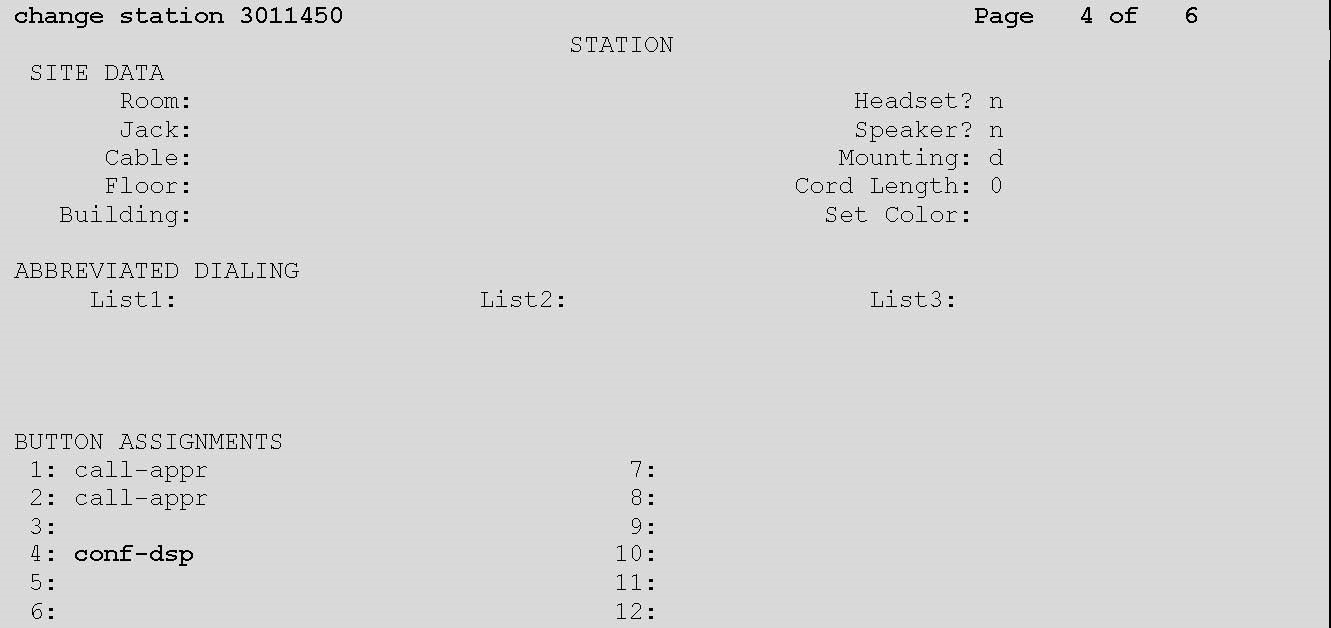
Note:Repeat the above steps to administer the desired number of virtual IP softphones, using sequential extension numbers and the same security code for all virtual IP softphones.