AVAYA DOCUMENTATION CENTER
Find answers to your technical questions and learn how to use our products
Avaya Proactive Outreach Manager Integration
Verify the Communication Manager license
Procedure
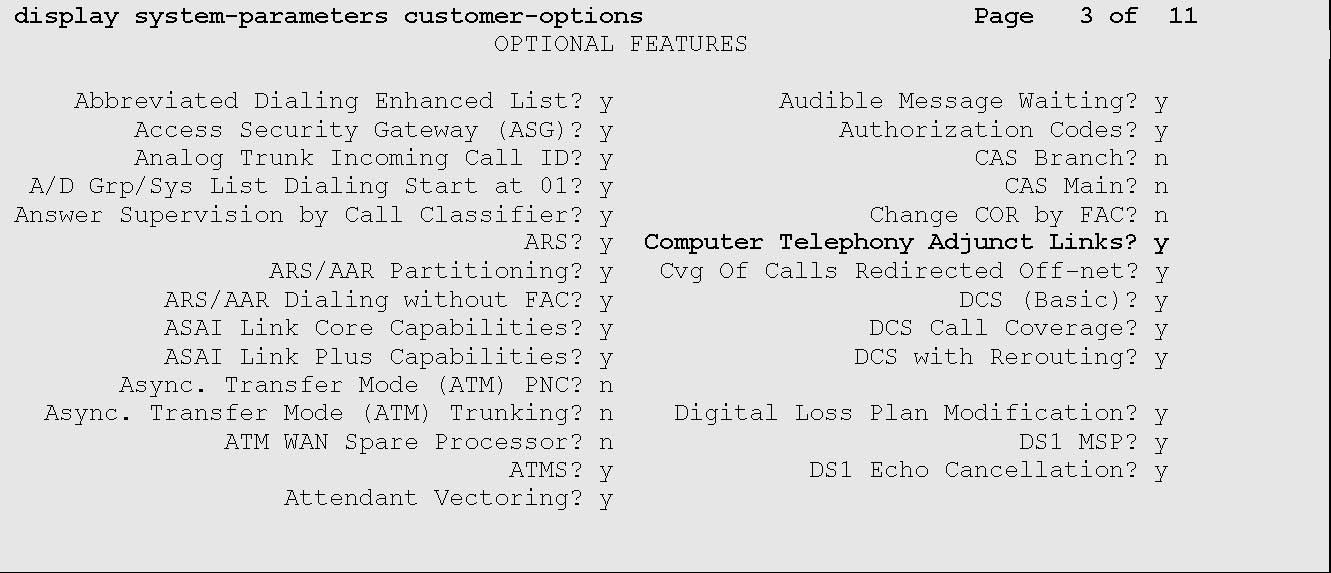
- Verify that the Computer Telephony Adjunct Links customer option is set to Y.
The OPTIONAL FEATURES screen on page 3 displays the information similar to the following:
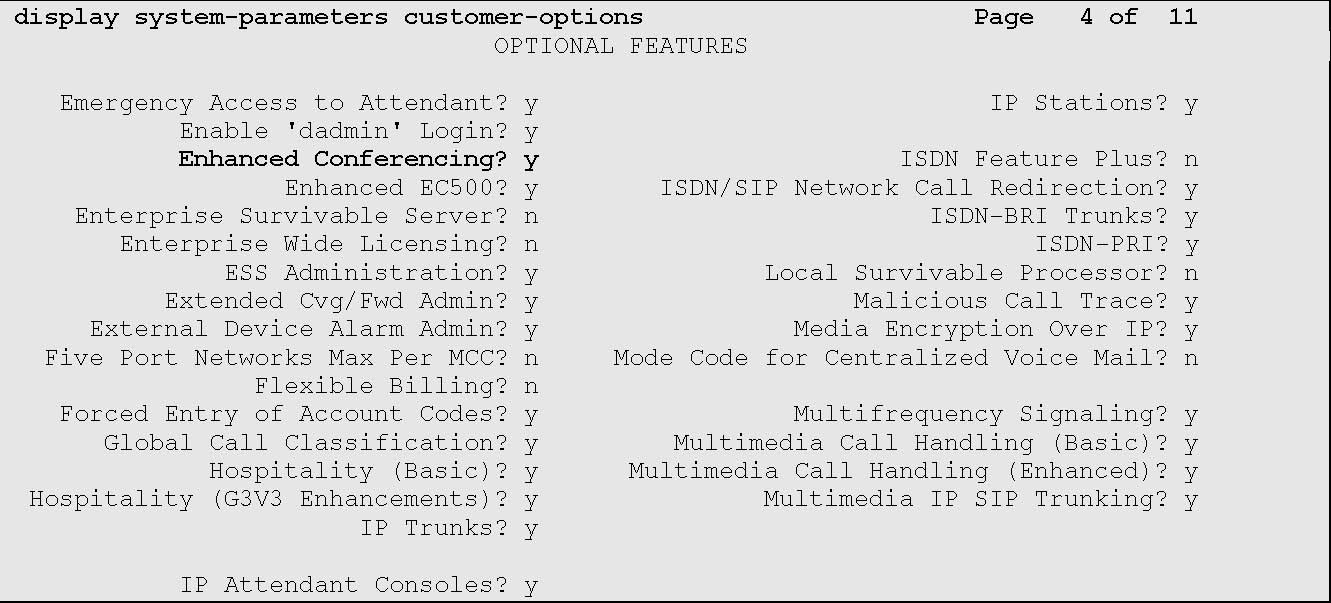
- Verify that the Enhanced Conferencing customer option is set to Y.
The OPTIONAL FEATURES screen on page 4 displays the information similar to the following: