AVAYA DOCUMENTATION CENTER
Find answers to your technical questions and learn how to use our products
Deploying MS Teams Direct Routing with IP Office
Configure the Server Flow for MS Teams
When the ASBCE receives a packet, it uses the (IP addresses, URIs, and so on) to determine which server flow it matches. After determining the server flow, the ASBCE applies the policies for the destination endpoint.
Before you begin
- Select Network & Flows and then End Point Flows.
- Select the Server Flows tab.
- Click Add.
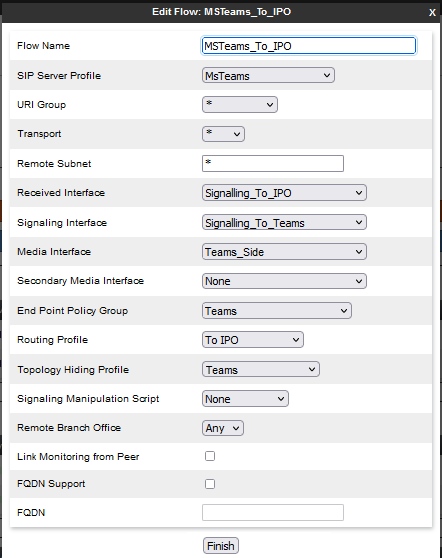
- For the Flow Name, enter a unique descriptive name.
- In the SIP Server Profile, Signaling Interface, Media Interface, End Point Policy Group and Topology Hiding fields, select entries created for the MS Teams.
- For the Received Interface and Routing Profiles, select the signaling interface and routing profiles created for the IP Office.
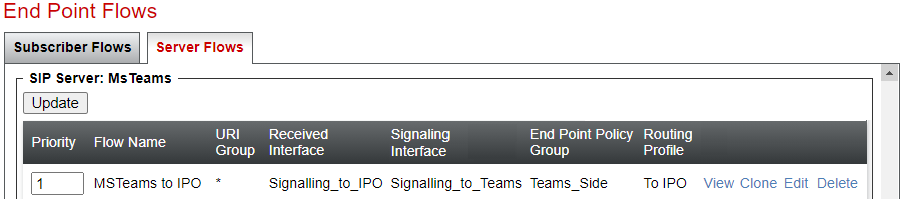
- The final settings will look like the following example. Click Finish.
ADDITIONAL INFORMATION:
- Click Finish. The server flow details will look like the following example:
ADDITIONAL INFORMATION: