

AVAYA DOCUMENTATION CENTER
Find answers to your technical questions and learn how to use our products
Deploying MS Teams Direct Routing with IP Office
Upload the SIGMA Scripts
Upload the two SIGMA script files to the ASBCE.
Before you begin
- Select Configuration Profiles and then Signaling Manipulation.
- Click Upload.
- Enter a name and select the SIGMA file created for the IP Office.
- Click Upload.
ADDITIONAL INFORMATION:
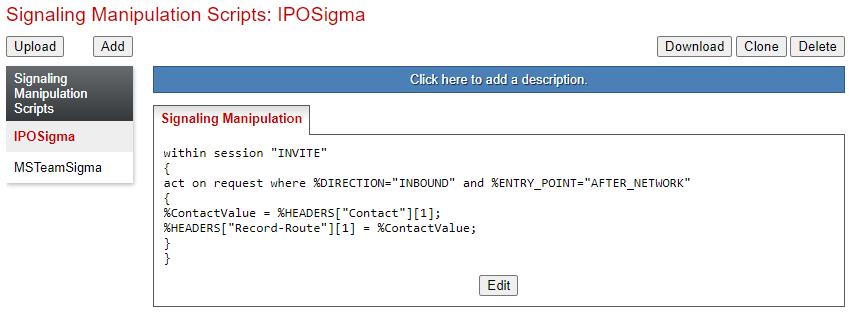
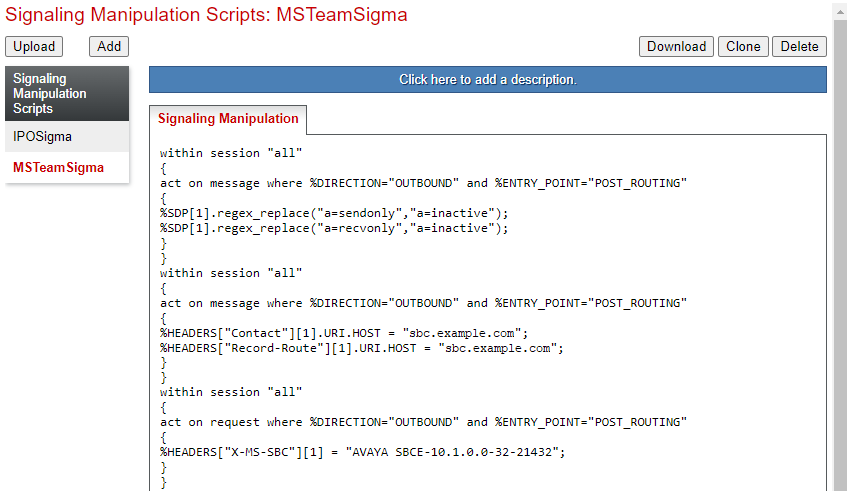
- Click Upload again and select the SIGMA file created for MS Teams.
ADDITIONAL INFORMATION:
Next steps
-
Proceed to Obtain the ASBCE Certificates.