

AVAYA DOCUMENTATION CENTER
Find answers to your technical questions and learn how to use our products
Deploying MS Teams Direct Routing with IP Office
Define the Media Rules for MS Teams
The ASBCE uses media rules to define RTP media packet parameters, such as prioritizing encryption techniques and packet encryption techniques. This process creates the media rules used for the MS Teams connection.
Before you begin
- Select Domain Policies and then Media Rules.
- Select the existing
default-low-medrule and click Clone. - Enter a unique descriptive name for the new media rule and click Finish.
- Select the new media rule and click Edit.
- On the Encryption settings tab, set the settings as shown below:
ADDITIONAL INFORMATION:
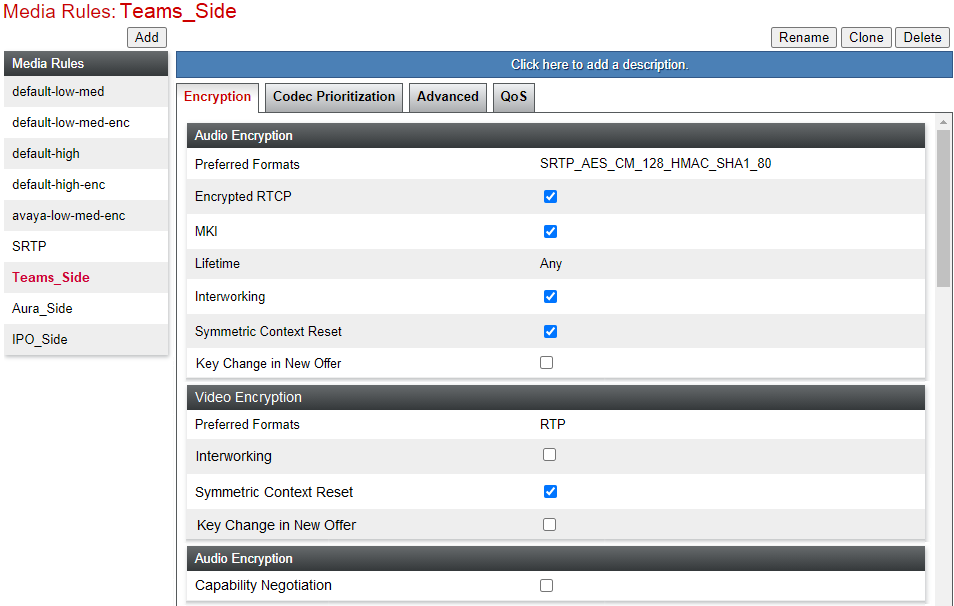
- On the Advanced settings tab, set the settings as shown below:
ADDITIONAL INFORMATION:
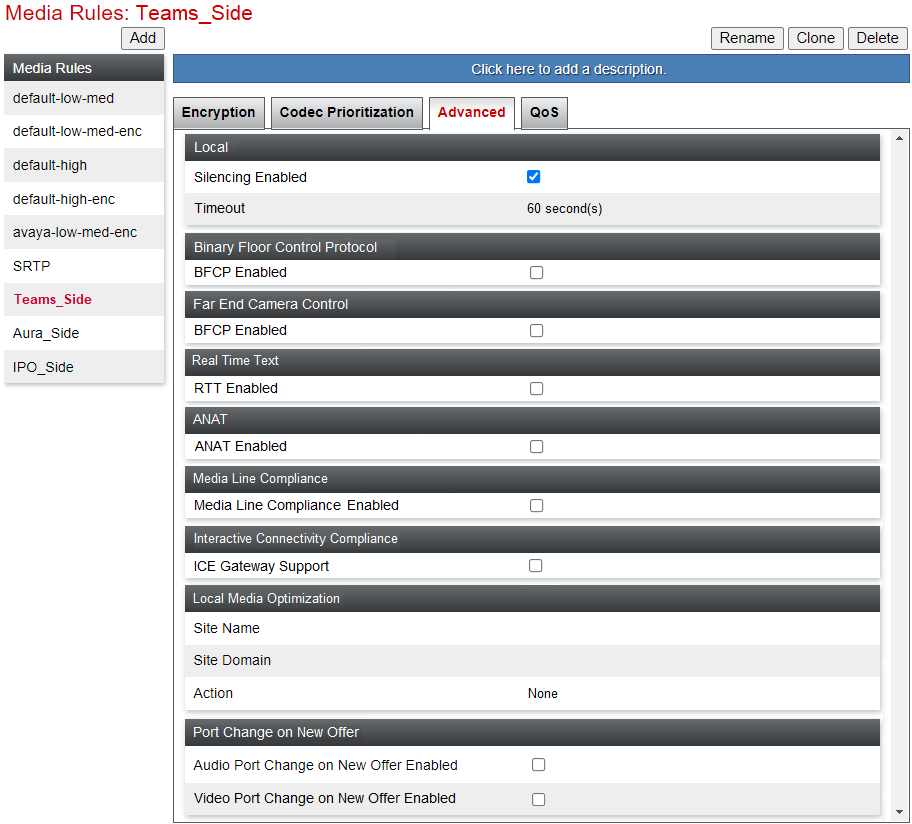
- Click Finish.
Next steps
-
Proceed to Create the Endpoint Policy Groups.