

AVAYA DOCUMENTATION CENTER
Find answers to your technical questions and learn how to use our products
Deploying MS Teams Direct Routing with IP Office
Define a SIP Call Routing Profile for the IP Office
The ASBCE requires routing information to route calls to the configured SIP Servers. The ASBCE uses the information as the destination addresses for SIP signaling messages.
This process creates a routing profile for the connection to the IP Office.
Before you begin
- Select Configuration Profiles and then Routing.
- Click Add.
- Enter a Profile Name and click Next.
- In the routing profile settings, click Add to specify the IP route details:
ADDITIONAL INFORMATION:
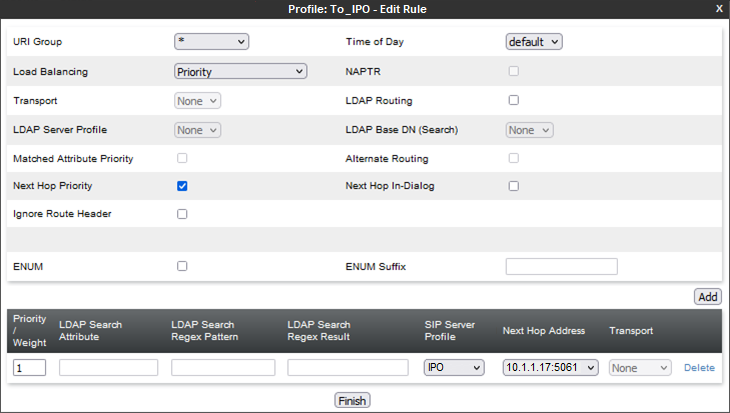
- Set the Priority/Weight to 1.
- For the Server Configuration, select the SIP server entry created for the IP Office.
- In the Next Hop Address, select the IP Office address/port to use.
- Click Finish.
Next steps
-
Proceed to Create a URI Group for IP Office Extensions.