

AVAYA DOCUMENTATION CENTER
Find answers to your technical questions and learn how to use our products
Implementing and Administering Avaya Aura® Media Server
Viewing current active sessions
The active session display has several features you can use to find sessions of interest. You can also obtain detailed information related to each session, including the SIP messaging.
The default view of the Active Sessions pane in EM shows an unfiltered list of the active sessions. The unfiltered list can be a list of sessions only on one node or across the entire cluster. You can define a filter with very specific criteria to find sessions of interest.
- Navigate to .
ADDITIONAL INFORMATION:On the Active Sessions page, you can see a summary of resources that any current active sessions are consuming.Use the horizontal scroll bars to see all the columns of information.
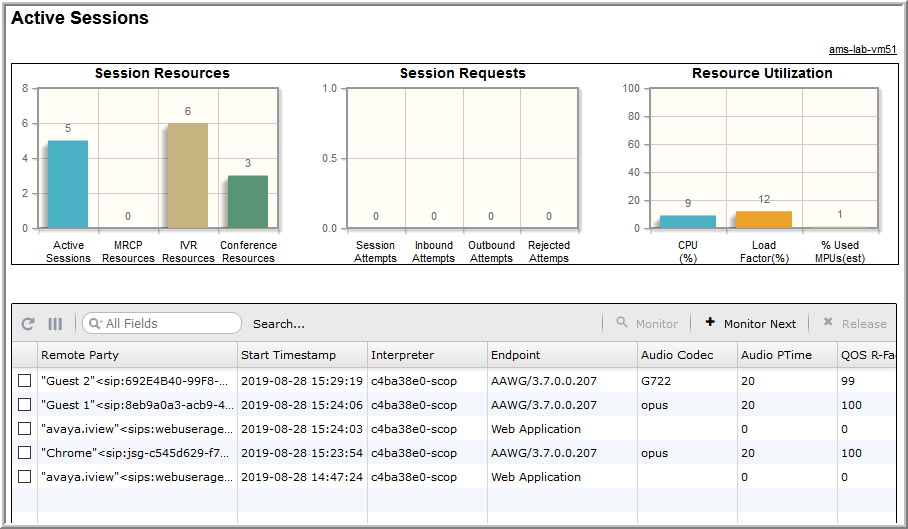
- To find a particular session, click Search.... Enter the match criteria of interest in the fields then scroll down and click Search.
- To disable filtering and again show all the active sessions, click the X in search field.
- To toggle the active sessions view between cluster-wide view and nodal view, click the (Cluster) toggle button on the upper-right corner of the Active Sessions page.
ADDITIONAL INFORMATION:The (Cluster) toggle button is present only if you have configured a cluster. If you click (Cluster) to enter the cluster aggregated view, the button name changes to the host name of the local server