AVAYA DOCUMENTATION CENTER
Find answers to your technical questions and learn how to use our products
Implementing and Administering Avaya Aura® Media Server
Determining peak session traffic
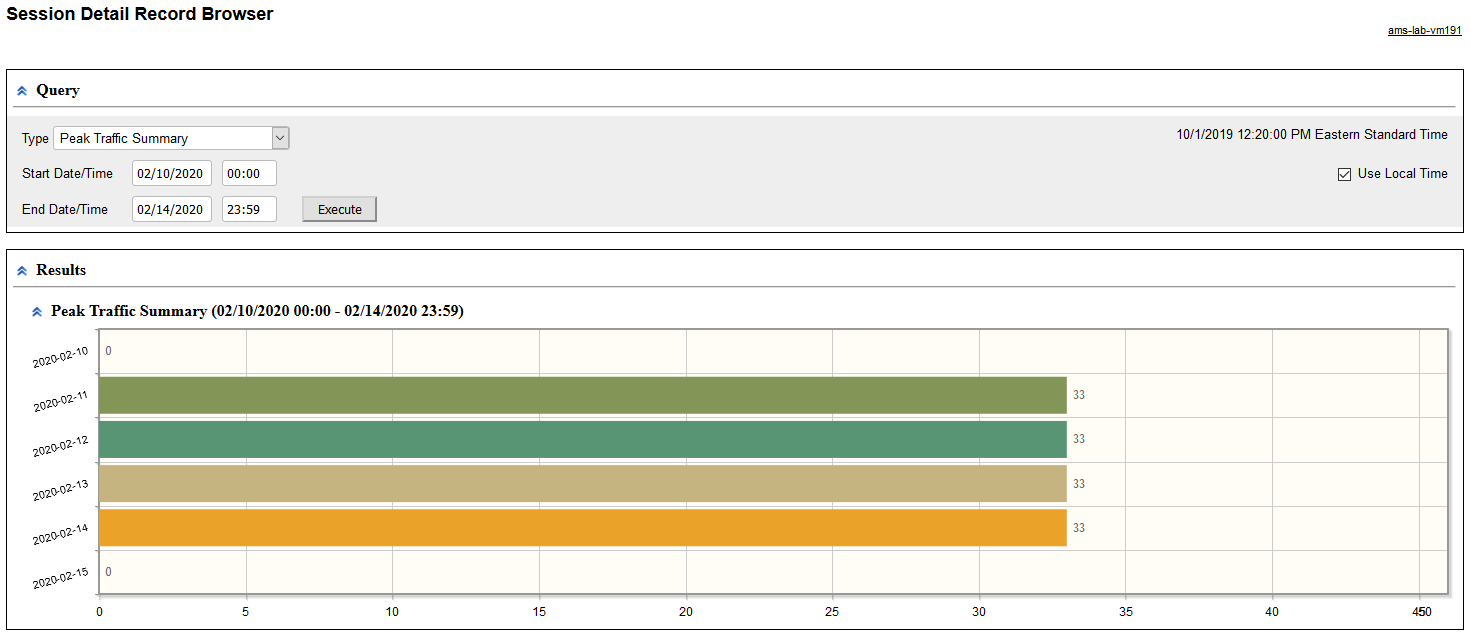
Perform the following procedure to generate a graphical report representing the peak number of sessions processed by the Avaya Aura® MS each day:
- Navigate to .
- To run a query which reports the peak number of sessions processed each day, select Peak Traffic Summary from the Type drop-down menu.
- Use the Start and the End options in the Query panel to define a time range for the query.
- Click Execute to run the new query and generate a graphical Peak Traffic Summary.
ADDITIONAL INFORMATION:Move your cursor over any bar graph element to see the peak number of sessions for each day.ADDITIONAL INFORMATION: