

AVAYA DOCUMENTATION CENTER
Find answers to your technical questions and learn how to use our products
Implementing and Administering Avaya Aura® Media Server
Configuring Field Promotion for SDR reports
Perform the following procedure to select the fields to include in SDRs:
- Navigate to and select Lock from the More Actions drop-down menu and click Confirm to lock the system.
ADDITIONAL INFORMATION:For more information on locking your system, see Setting the operational state.Important:When you lock the media server, the system ends existing sessions and does not accept new requests. The system redirects new traffic to other nodes in the cluster.
- Navigate to .
ADDITIONAL INFORMATION:
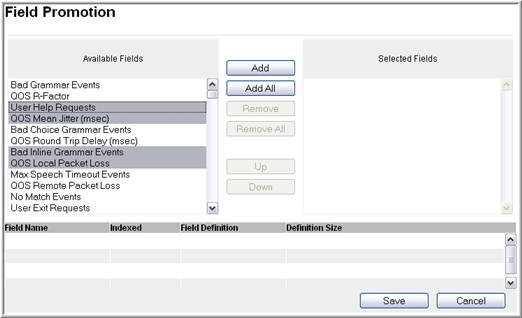
- Select the required fields from the Available Fields column and then click Add.
ADDITIONAL INFORMATION:The system displays the selected fields in the Selected Fields column and in the table on the lower part of the page.ADDITIONAL INFORMATION:Tip:To select multiple items, press and hold down either the Shift key, for multiple selections which are grouped together, or the Control key, for multiple selections which are separated.ADDITIONAL INFORMATION:
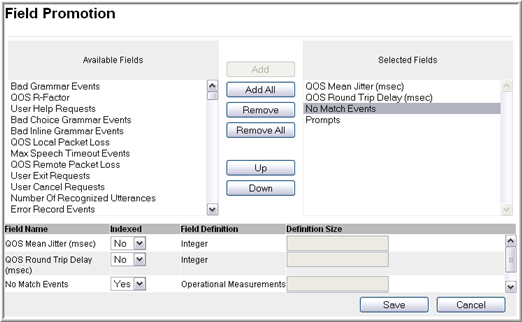
- To reorder the fields in Selected Fields, select a field and then click Up or Down.
- In the Indexed column, select Yes or No as required.
- If you want to remove any selected field, click on the field in the Selected Fields column and then click Remove.