

AVAYA DOCUMENTATION CENTER
Find answers to your technical questions and learn how to use our products
Implementing and Administering Avaya Aura® Media Server
Configuring a Primary server for a cluster
Using EM, perform the following procedure to configure Avaya Aura® MS as the Primary server in an N+1 Load Sharing cluster.
Before you begin
Ensure to replace the default staging certificates. See Replacing Default Staging certificatesReplacing Default Staging certificates for the procedure.
- To designate a server as primary, navigate to .
ADDITIONAL INFORMATION:
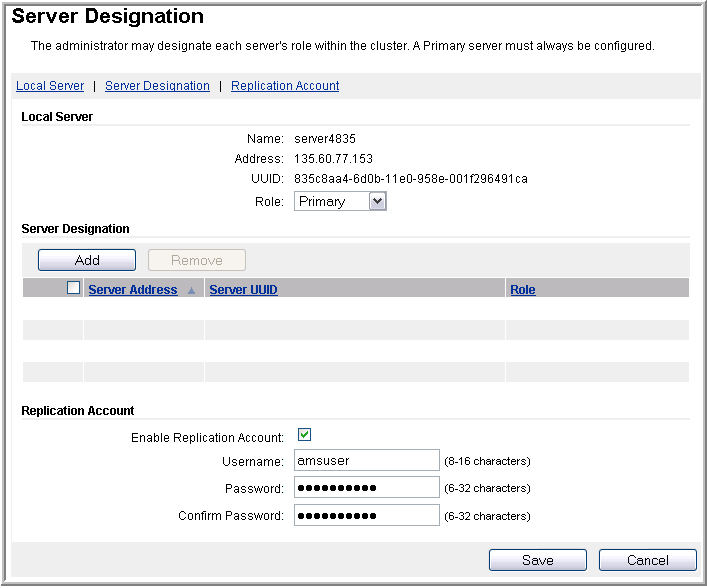
- In the Local Server section, ensure that Role is set to Primary.
- Note the Primary node IP address and the UUID.
ADDITIONAL INFORMATION:You will need this information later to configure other nodes in the cluster.
- In the Replication Account section, ensure Enable Replication Account is selected.
- In the Username, Password, and Confirm Password fields, enter a user name and password.
ADDITIONAL INFORMATION:Important:All servers in the cluster must use the same Replication Account user name and password.
- Click Save.
- Click Confirm.