

AVAYA DOCUMENTATION CENTER
Find answers to your technical questions and learn how to use our products
Using IP Office SoftConsole
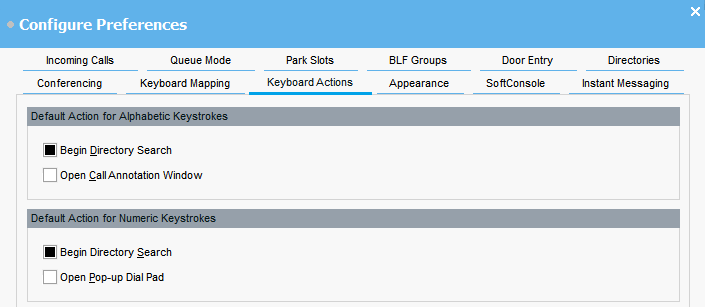
Configuring keyboard actions
You can specify what happens in the console when you start pressing alphabetic or numeric keyboard characters.
Before you begin
If you want to modify the Maximum length for call notes field, you must log in to the console in Administrator mode.
- Click
 Preferences.
 - Select Keyboard actions.
- Select the appropriate default action for alphabetic keystrokes. The options are:
-
Begin Directory Search
-
Open Call Annotation Window
-
- Select the appropriate default action numeric keystrokes. The options are:
-
Begin Directory Search
-
Open Pop-up Dial Pad
-
- If you are in Administrator mode, modify Maximum length for call notes if required.
ADDITIONAL INFORMATION:The default length is 16 characters. If you increase this value, the note might not be fully visible on all telephones and applications. The length specified in this field also applies to text messages that you send to other users’ phones.