

AVAYA DOCUMENTATION CENTER
Find answers to your technical questions and learn how to use our products
Using IP Office SoftConsole
Making a page call
You can broadcast message to a group of people using the Page feature. For example, an incoming caller needs to speak to someone urgently but they cannot be found. The call can be parked and then a message broadcast for the user to pick up the call. The page is heard at any telephone extension that has a hands free speaker and is not being used.
- To send a broadcast message, do one of the following:
-
Click
 .
.
-
Click .
-
Press F10.
STEP RESULT: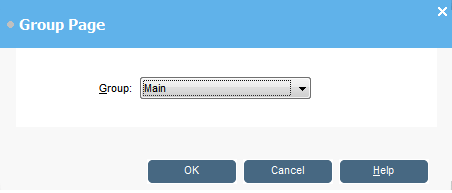
-
- Select the group to broadcast the message to.
- Click OK.
- Speak the message.
- When you are done with the message, do one of the following:
-
Click
 .
.
-
Click
-
Press End.
-