

AVAYA DOCUMENTATION CENTER
Find answers to your technical questions and learn how to use our products
Using IP Office SoftConsole
Compact View
You can run the console in normal or compact view modes. In compact mode, only call details and directory panels appear.
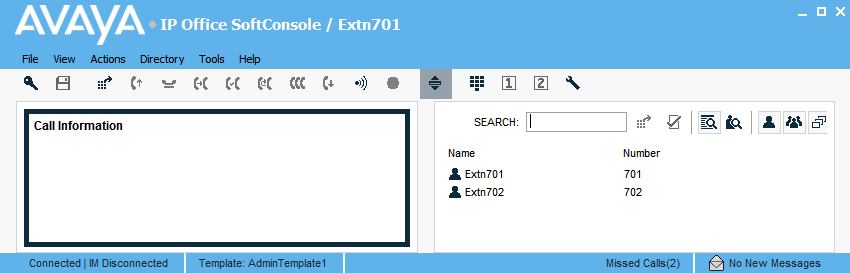
- To toggle between compact and normal view, do one of the following actions:
-
Click
 .
.
-
Click or Normal View
-
- Press Home on your keyboard to toggle between compact and normal view.