

AVAYA DOCUMENTATION CENTER
Find answers to your technical questions and learn how to use our products
Using IP Office SoftConsole
Sending instant messages
The console can be configured to support instant messaging. When enabled, you can use the directory to select and send instant messages to other users.
The other users must be using an Avaya application that also supports instant messaging.
- In the Directory pane, locate the required user.
- Right-click on the user and select Send Instant Message or press Ctrl + I.
STEP RESULT:
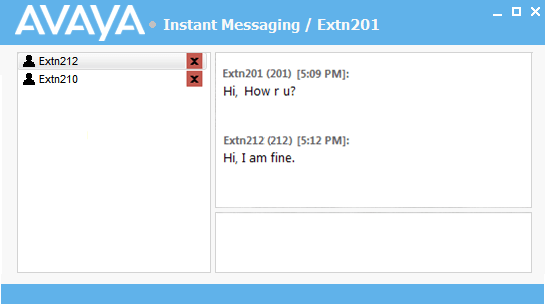
- Enter the message in the box at the base of the window and click Send.
- Switch between the instant messaging window and the console without interrupting the operation of either.
ADDITIONAL INFORMATION:If you close the instant messaging window, the current chat session ends.