

AVAYA DOCUMENTATION CENTER
Find answers to your technical questions and learn how to use our products
Using IP Office SoftConsole
Sending text messages
You can send a short text message to a user. The message appears on the display of most Avayatelephones. This feature is less disruptive than intruding on a call. The result sending a message depends on the user’s telephone type and whether they are on a call or not.
By default, the maximum length of a message is 16 characters, however, the length can be configured by the system administrator.
When a message is sent to an Avaya DS Port display telephone, the message lights the telephone message lamp. This happens whether the telephone is free or on a call. If the telephone is free, the message text is shown. If it is on a call, the text appears after the user completes the call.
- Locate the user you want to send a message to in the directory.
- Click or press Ctrl + M.
STEP RESULT:
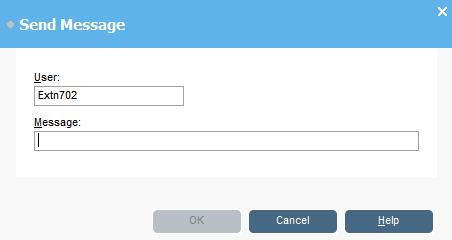 The users extension number field is populated with the information from the directory.
 - Enter the text in the Message field.
- Click OK.