

AVAYA DOCUMENTATION CENTER
Find answers to your technical questions and learn how to use our products
Using IP Office SoftConsole
Customizing the console’s appearance
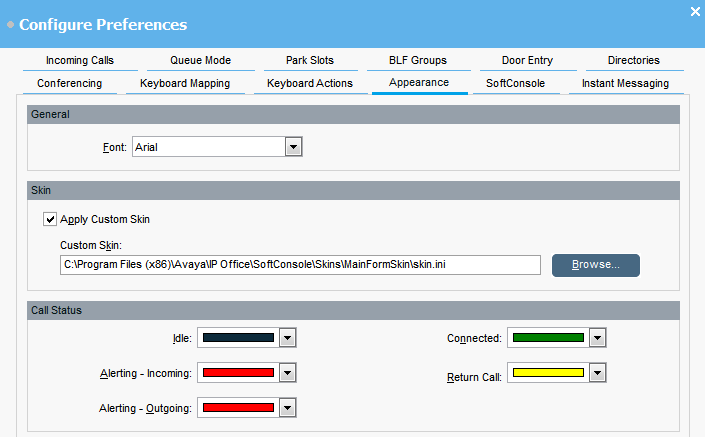
You can change the general appearance of the console application. For example, you can change font and colors used to indicate call status.
Before you begin
If you want to use a custom skin, you must have a skin definition file.
- Click
 Preferences.
 - Select Appearance.
- Select a new font from the Font drop-down menu.
- If you want to select and use a custom skin, select the Apply Custom Skin check box.
ADDITIONAL INFORMATION:A skin is a set of files defining the whole appearance of the application. By default, no additional skins are supplied.
- Click Browse and upload your skin definition file.
- Change the call status colors.
ADDITIONAL INFORMATION:You can select a different color for each call status. These colors appear in the border of the call details panel. The available call status options are:
-
Idle
-
Alerting - Incoming
-
Alerting - Outgoing
-
Connected
-
Return Call
-