

AVAYA DOCUMENTATION CENTER
Find answers to your technical questions and learn how to use our products
Using IP Office SoftConsole
Making calls using the Dial Pad
- Click or click
 .
STEP RESULT:
.
STEP RESULT: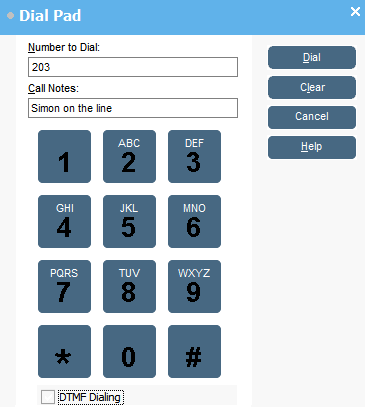
- Enter the required telephone number into the Number to Dial field.
ADDITIONAL INFORMATION:Use the dial characters on the Dial pad or the keyboard.
- Enter any notes for the call in the Call Notes area.
ADDITIONAL INFORMATION:Use call notes to add call tag text.
- Click Dial to start the call.