AVAYA DOCUMENTATION CENTER
Find answers to your technical questions and learn how to use our products
Administering IP Office Voicemail Pro
Adding a new condition
Note:
A maximum of 255 conditions can be added.
- Click the
 icon in the toolbar.
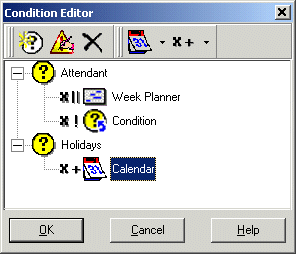
STEP RESULT:The New Condition window opens.
- Enter the name for the condition and then click OK.
ADDITIONAL INFORMATION:When a condition has been created, elements can be added and altered. A condition can consist of multiple elements, including several elements of the same type. In the example there are conditions added complete with elements.STEP RESULT:The new condition is placed in the Condition Editor window. The condition is represented by the
 icon followed by the condition name.