AVAYA DOCUMENTATION CENTER
Find answers to your technical questions and learn how to use our products
Administering Avaya Workspaces for CRM for Avaya Experience Platform™ Public Cloud
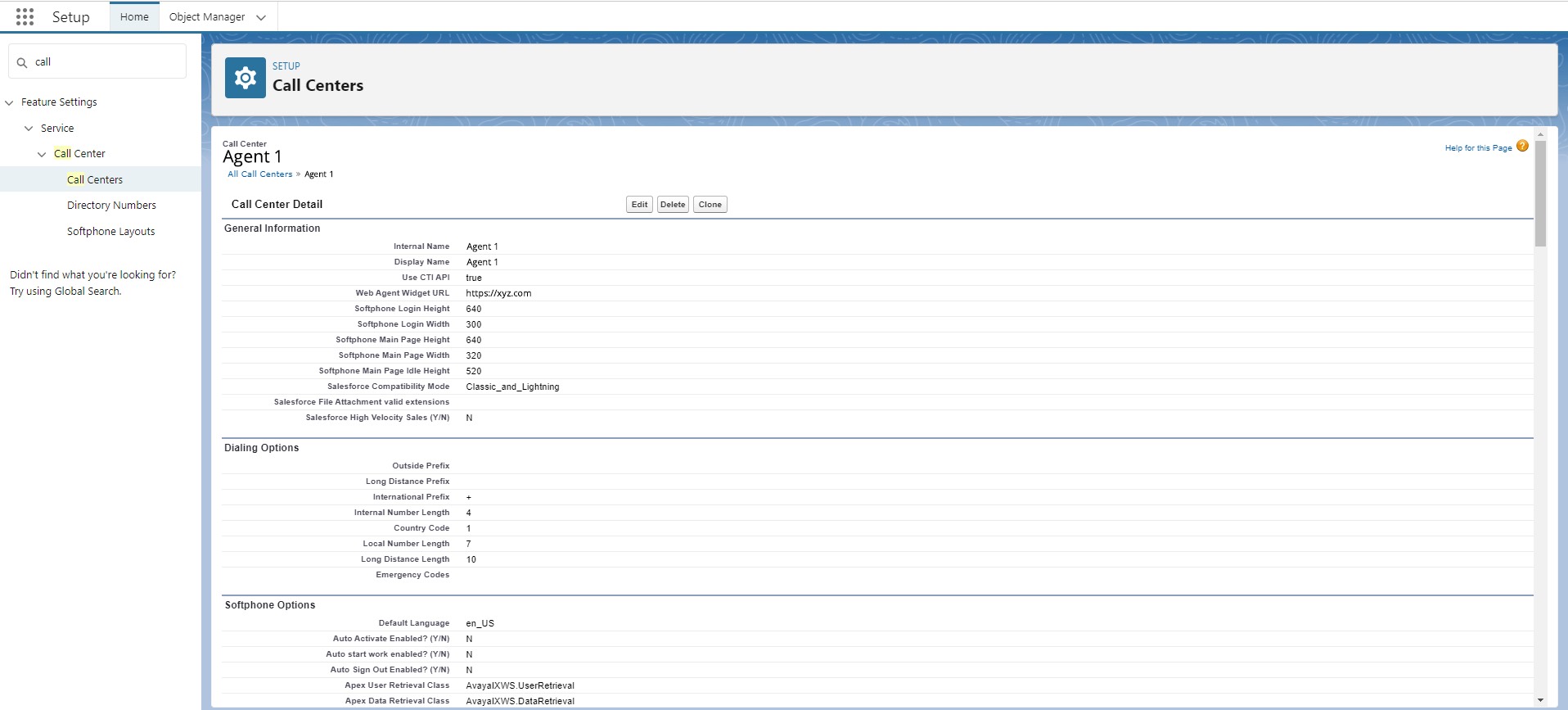
Configuring your call center
About this task
Configure your call center to define how Avaya Workspaces for CRM handles incoming and outgoing interactions and manages your agents' experience. For example, you can enable your agents to transfer calls and set up conferences.
Before you begin
Import the CCDef file for your call center to Salesforce.
Procedure
- At the top of the Salesforce home page, click
 .
. - Fill in the fields.
Figure : 1. Example of the Salesforce contact center configuration screen