

AVAYA DOCUMENTATION CENTER
Find answers to your technical questions and learn how to use our products
Installing the Avaya Solutions Platform 130 Series
Collecting an iDRAC Support Assist file
When there is an issue with the ASP 130 server a Support Assist file may need to be generated for debugging purposes. When opening a service request with Avaya this file may be required.
Before you begin
-
iDRAC should be enabled and network settings configured accordingly.
-
iDRAC should be reachable over the customer’s network or an on-site resource available for direct connect to the iDRAC.
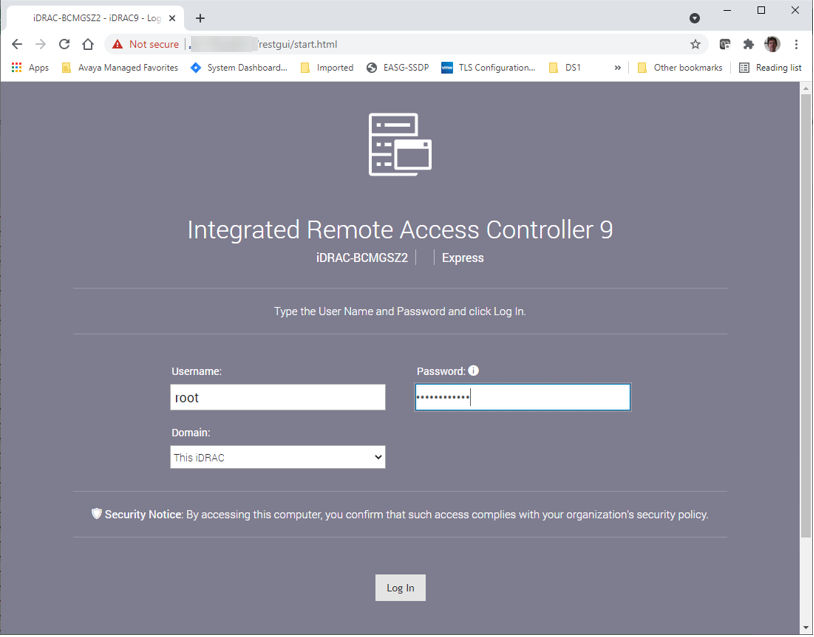
- Open a browser and login to the iDRAC web interface using the root or equivalent account:
ADDITIONAL INFORMATION:
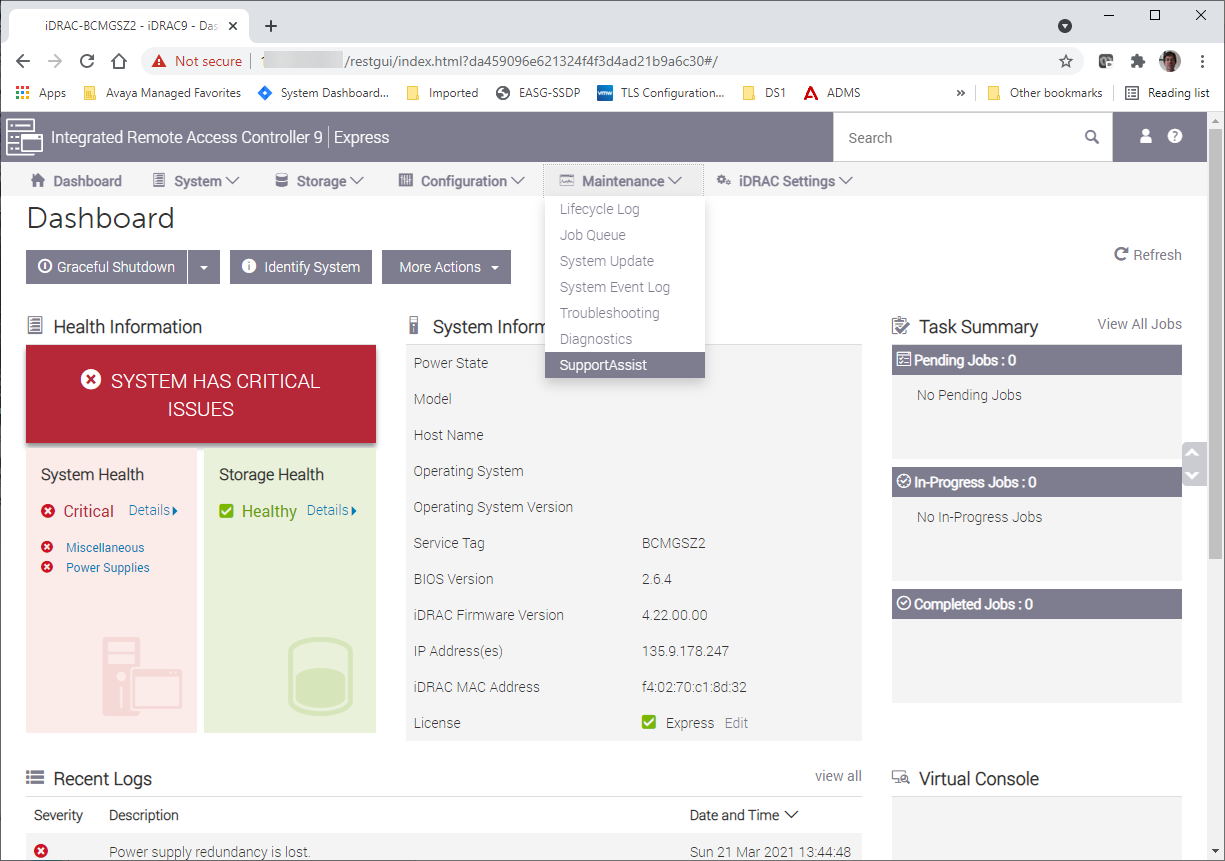
- Select from the main screen:
ADDITIONAL INFORMATION:
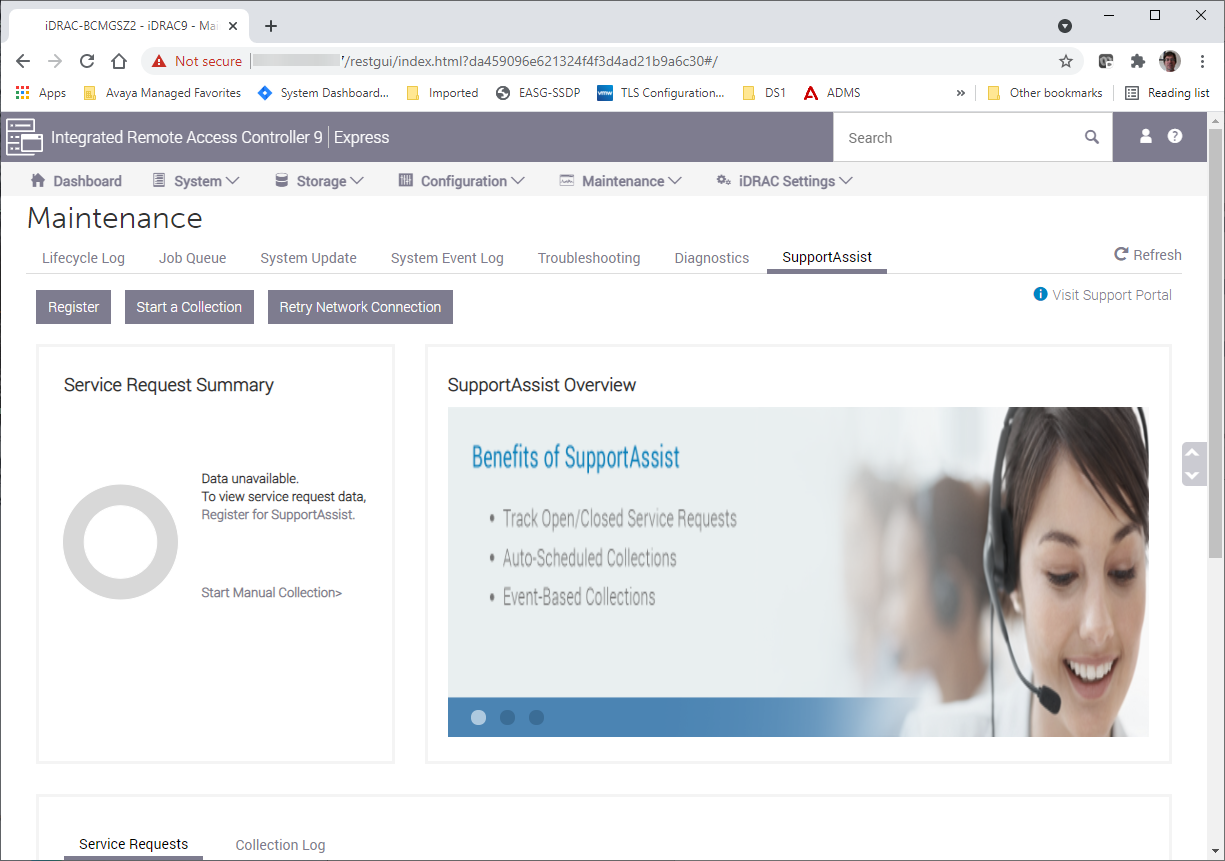
- In the SupportAssist screen, select Start a Collection:
ADDITIONAL INFORMATION:
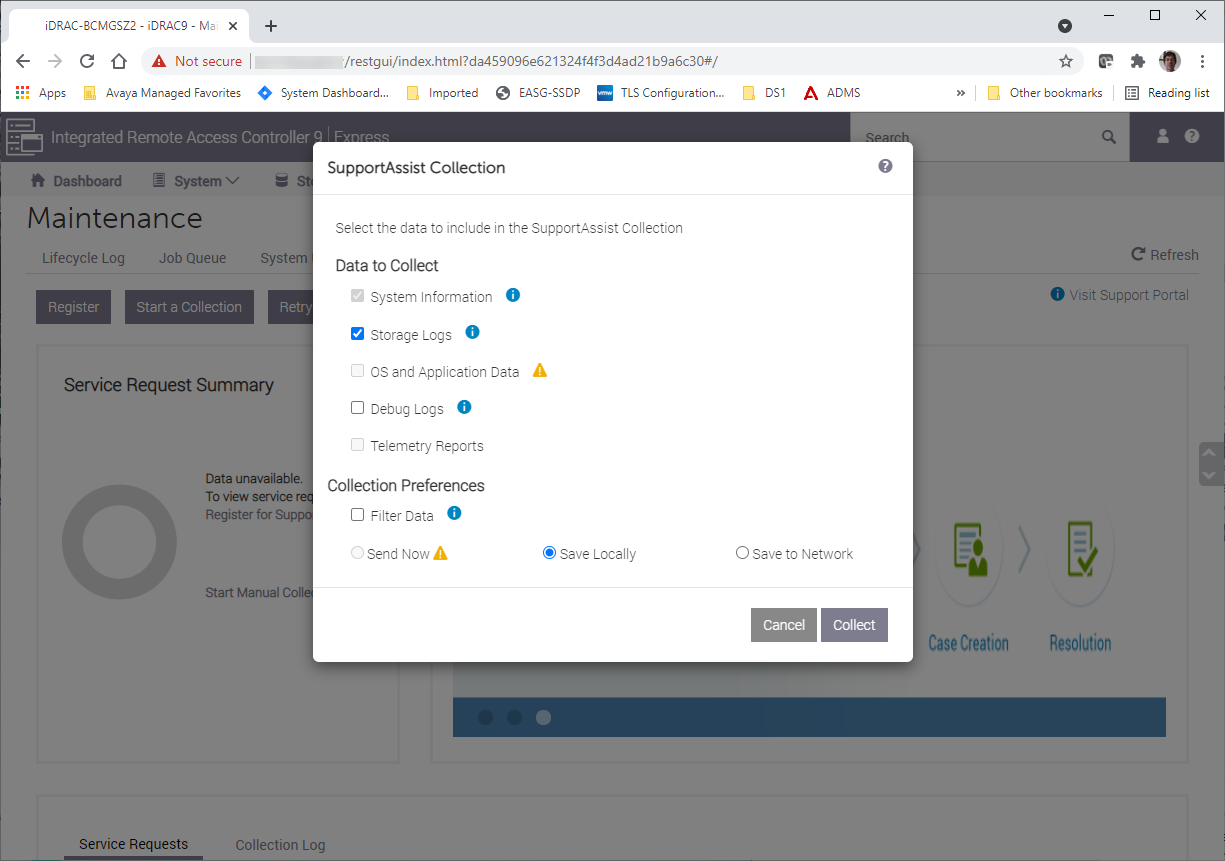
- In the Collection pop-up, keep the defaults of System Information and Storage Logs and save locally unless instructed otherwise by Avaya support. Then click on the Collect button.
ADDITIONAL INFORMATION:
- Accept the terms of the License Agreement and click Continue:
ADDITIONAL INFORMATION:
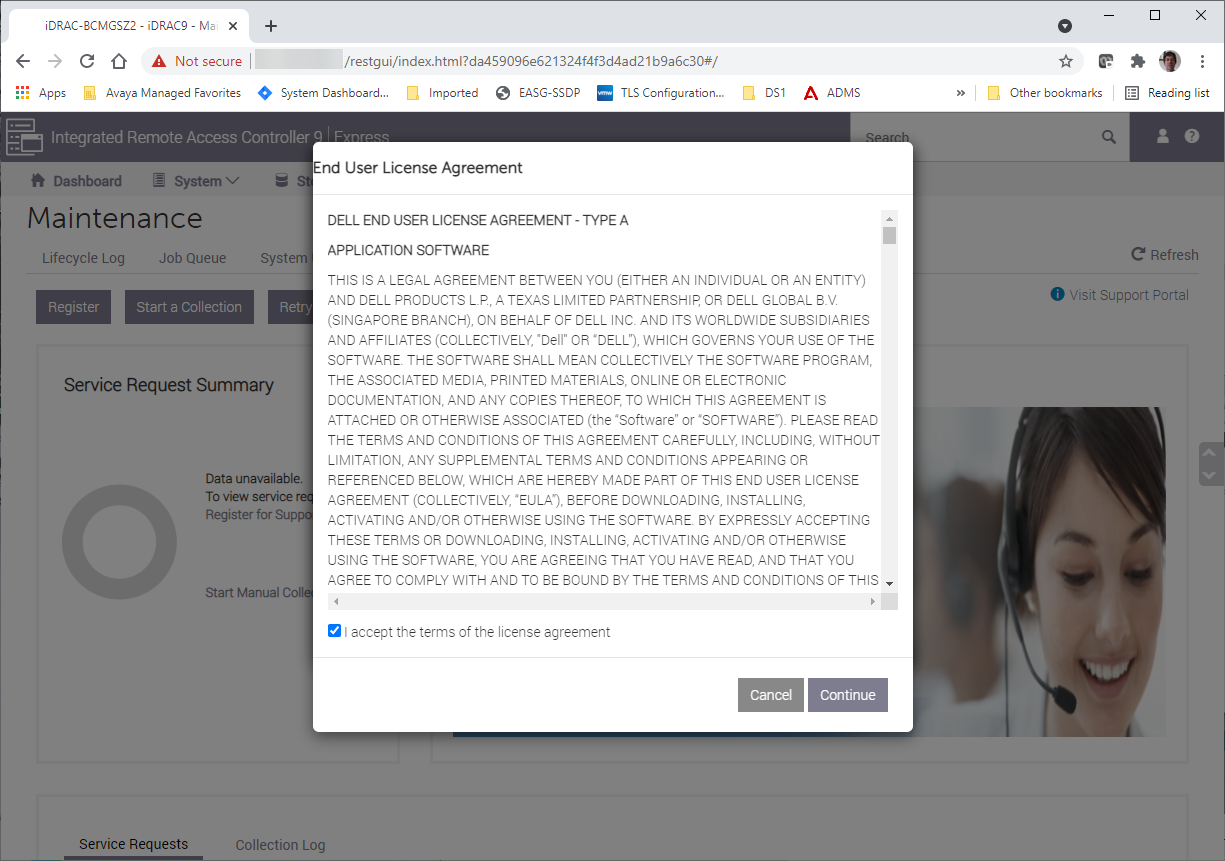
- This will start the collection and show the progress of the data collection:
ADDITIONAL INFORMATION:
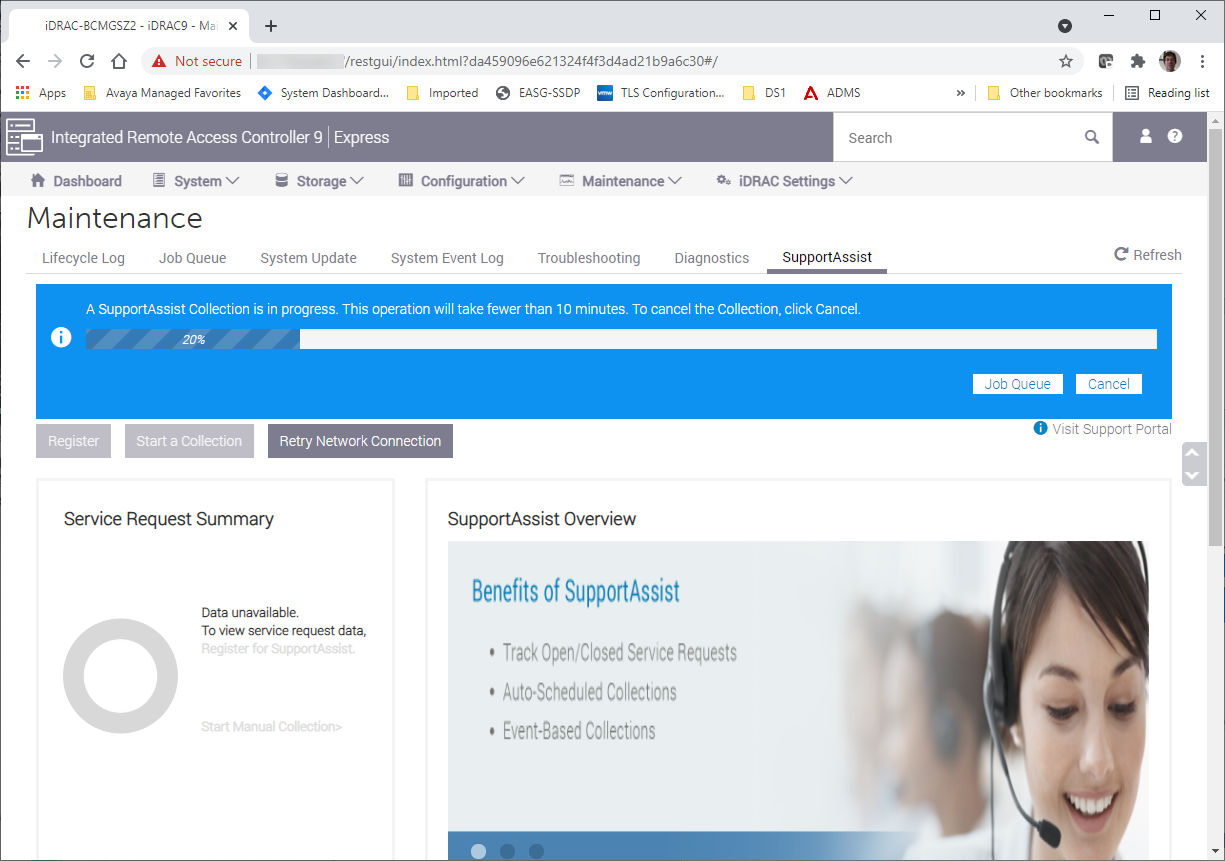
- When completed you can save the file to your PC – select Save and View:
ADDITIONAL INFORMATION:
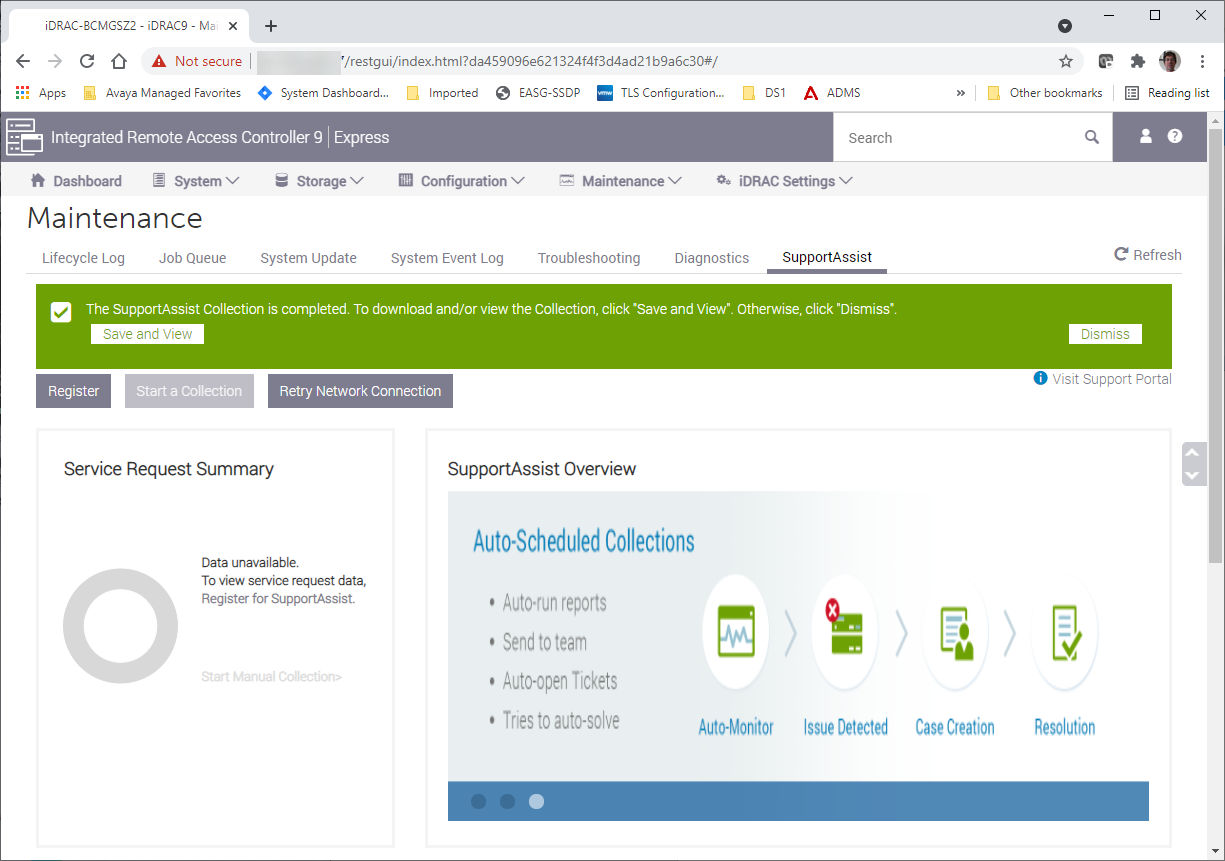
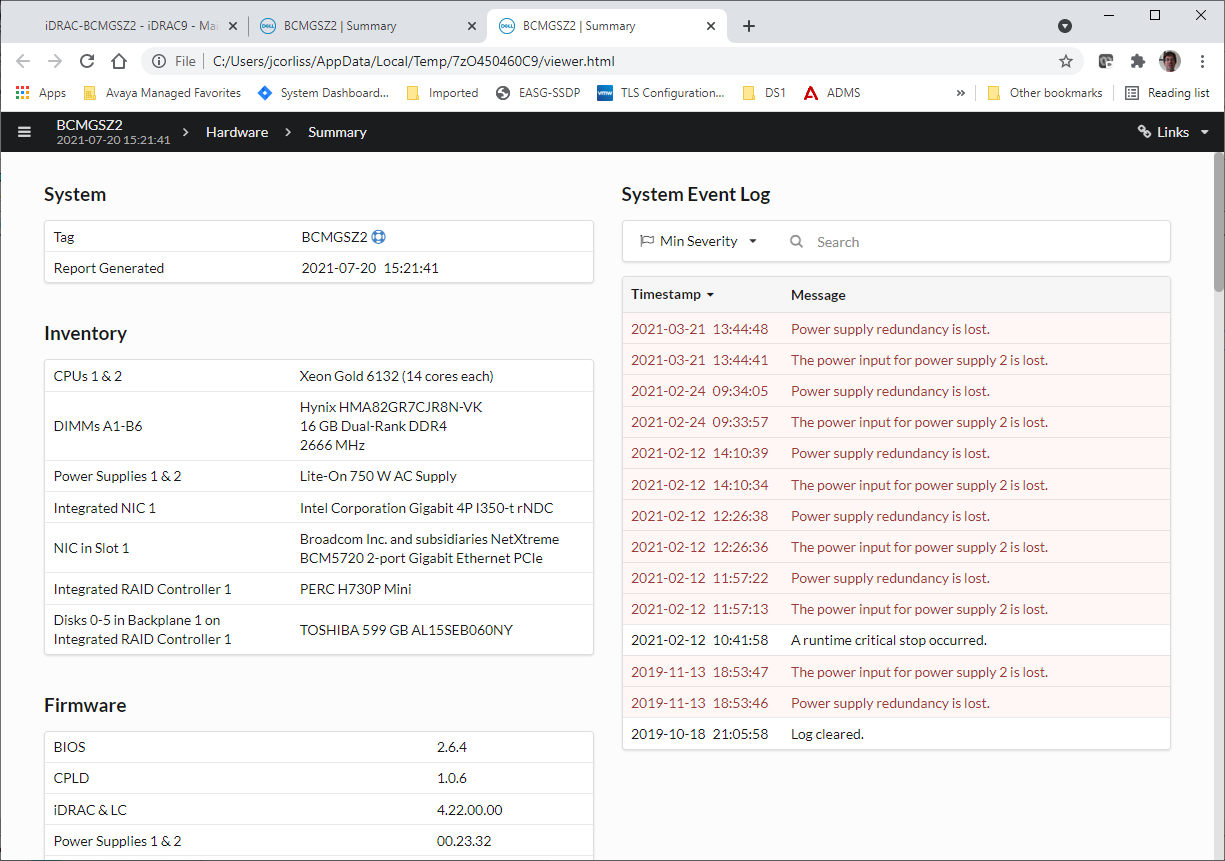
- This will open a new tab and allow you view the data in a GUI format. It will also download a .zip file of the same information for later viewing:
ADDITIONAL INFORMATION:
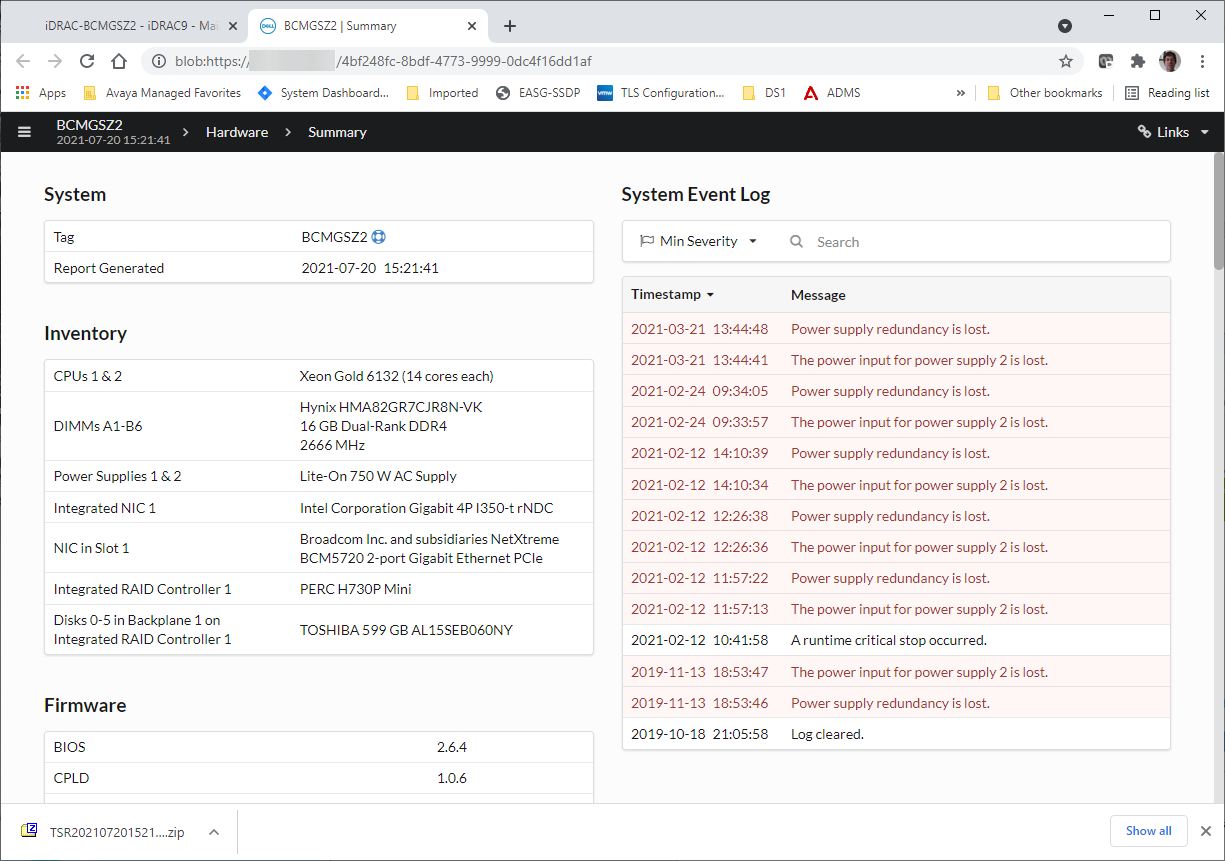
- To view the same data at a later time from the zip file open the zip file in an archive manager such as 7z:
ADDITIONAL INFORMATION:

- In the archive manager, click on the embedded zip file to extract that data. This will present a folder named tsr:
ADDITIONAL INFORMATION:

- Open the tsr folder. In 7z there is no need to do any further extraction of file to disk. Now select the file named viewer.html:
ADDITIONAL INFORMATION:
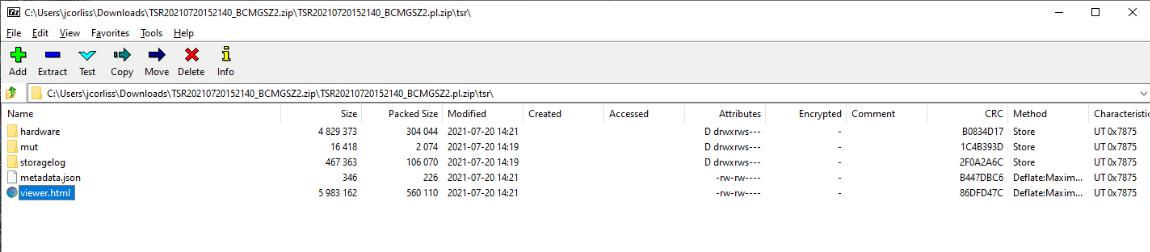
- Opening the viewer.html file will open a tab in your default browser and allow you to browse the SupportAssist data:
ADDITIONAL INFORMATION:
- The zip file originally collected may be requested by Avaya support personnel to assist in troubleshooting. Do not contact Dell for assistance or send this output bundle to anyone but your Avaya support team.