AVAYA DOCUMENTATION CENTER
Find answers to your technical questions and learn how to use our products
Installing the Avaya Solutions Platform 130 Series
Supported VLAN topologies in the ASP 130 R7.x solution
Red Hat Enterprise Linux (RHEL) offers a variety of options and configurations for VLAN setup and 802.1Q VLAN tagging. While the Red Hat vendor does not provide a single "best" recommended configuration, it is important to note that for ASP R7.x, the only tested and supported configuration methods are the ones included in this document.
Other:
While alternative configurations may be supported, they require prior approval from . If the desired configuration is not listed in this section, contact Avaya support for approval before proceeding with implementing network changes on the host.
Note:
For details on network port mapping and physical interfaces refer to NIC assignment mapping.
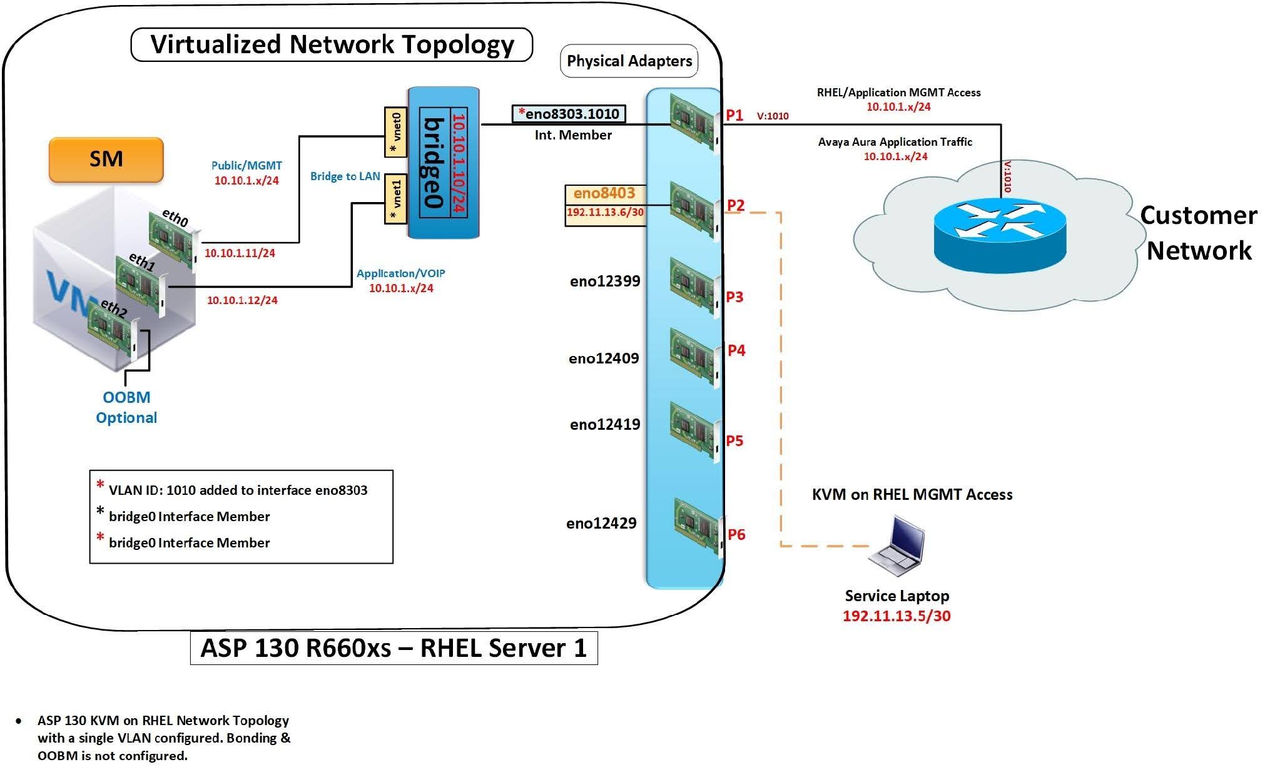
Single VLAN configuration in an ASP 130 R7.x – Hypervisor Layer
Note:
In this topology, the VLAN ID is assigned to the physical adapter.
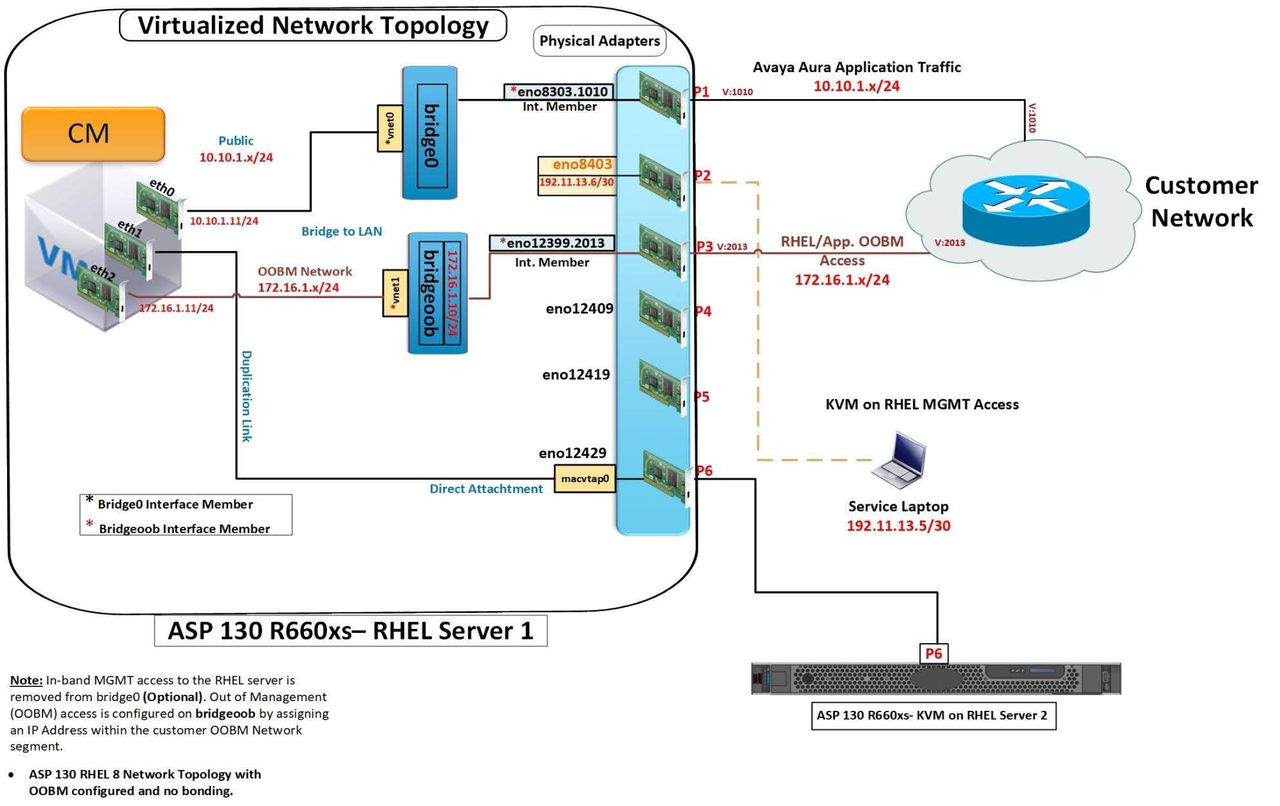
Single VLAN configuration with OOBM, no Bond in an ASP 130 R7.x – Hypervisor Layer
Note:
In this topology, each VLAN ID is assigned to a physical adapter.
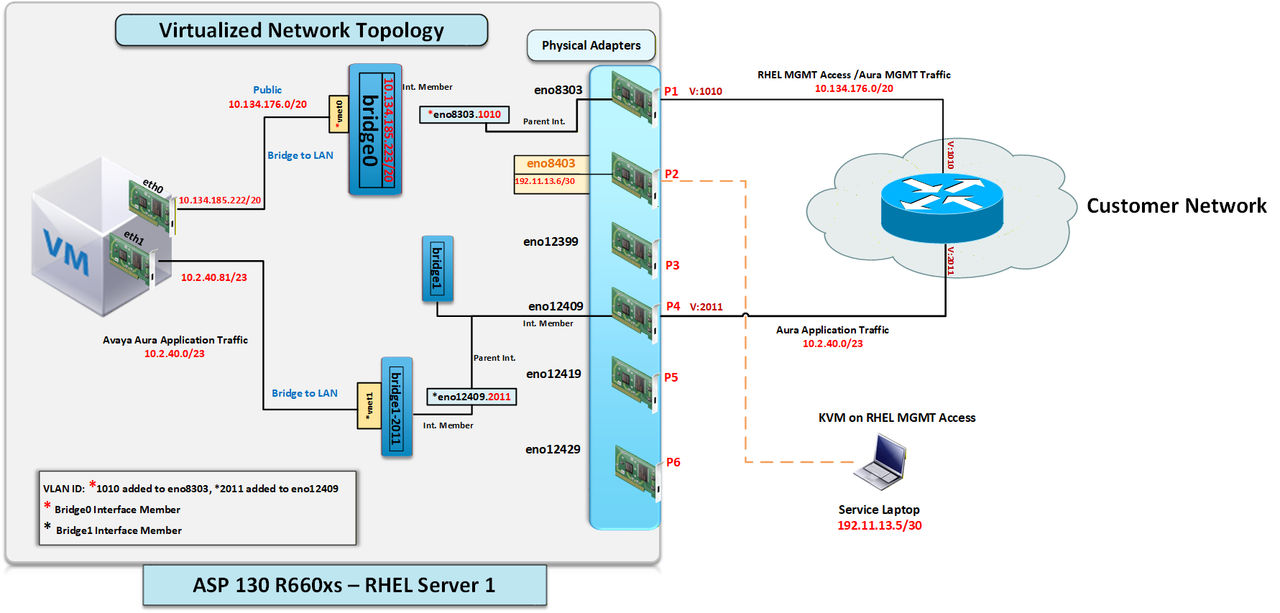
VLAN configuration on separate bridges in an ASP 130 R7.x – Hypervisor Layer
Note:
In this topology, each VLAN ID is assigned to a unique physical adapter. Bonding is not configured.
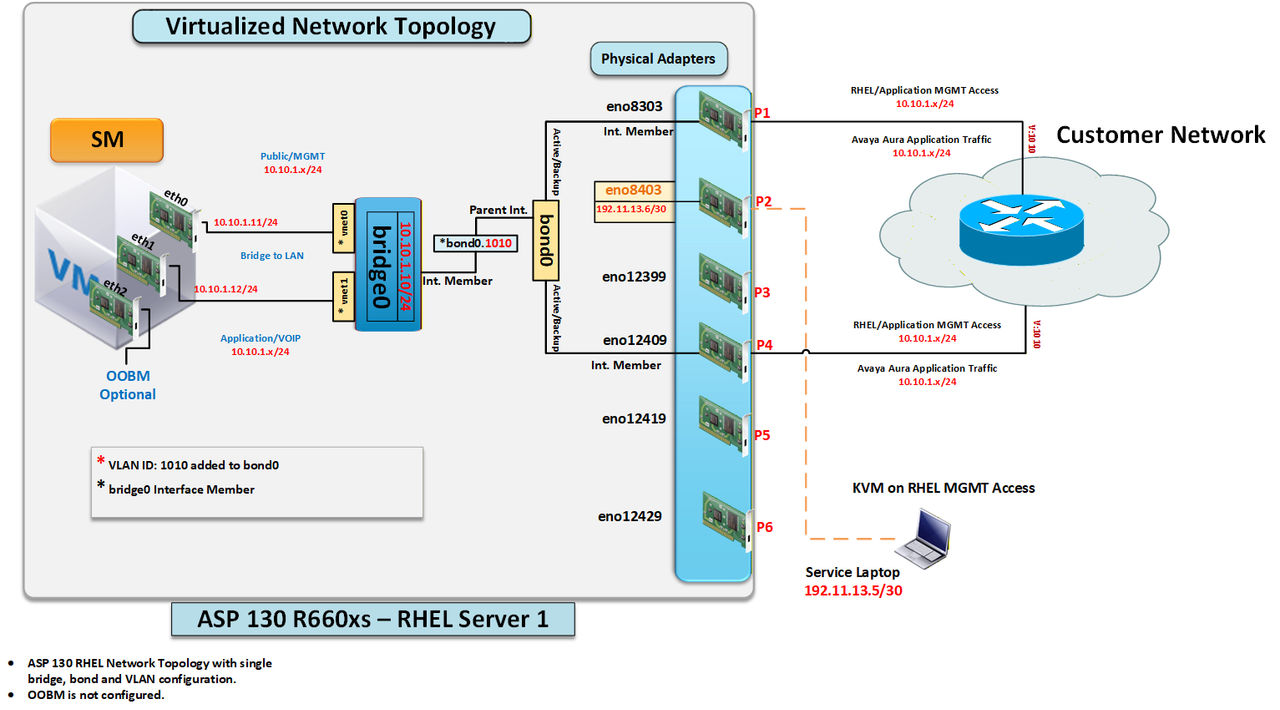
Single VLAN configuration with bonding in an ASP 130 R7.x – Hypervisor Layer
Note:
In this topology, the VLAN ID is assigned to the bond interface, rather than the physical adapter.
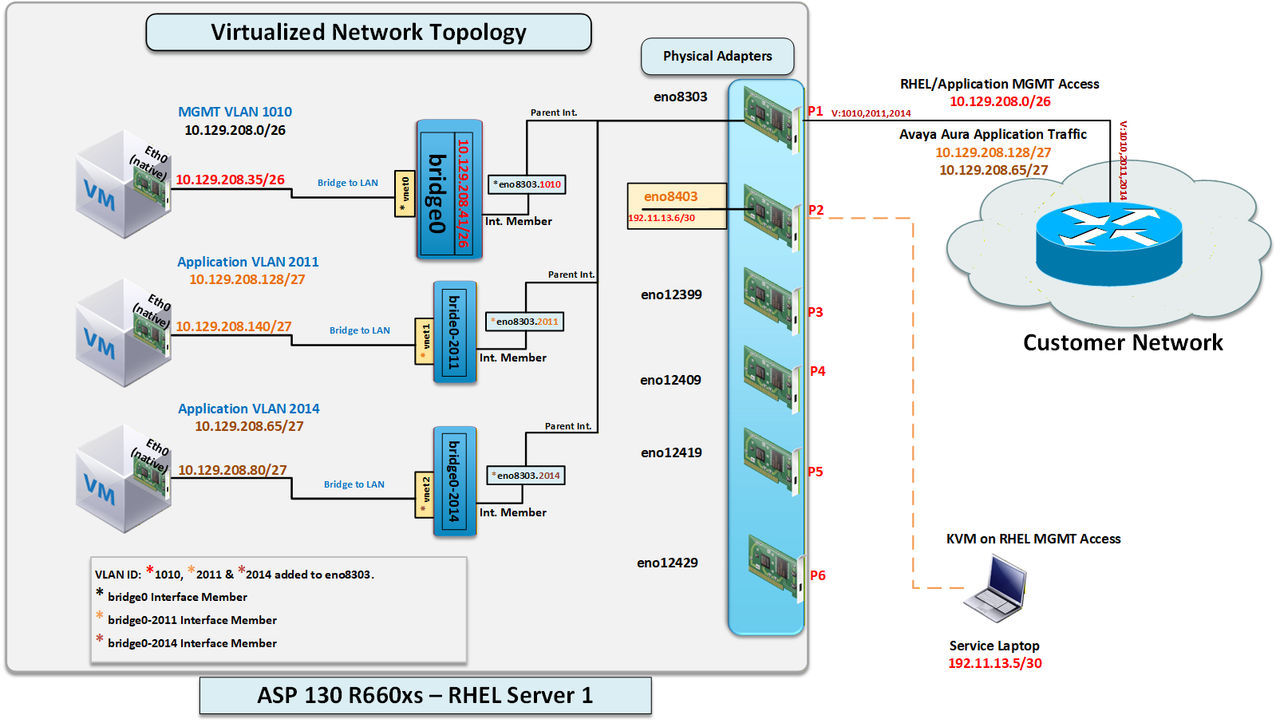
Single bridge selection with VLAN Trunking and no bonding in an ASP 130 R7.x – Hypervisor Layer
Note:
In this topology, each VLAN ID is assigned to a physical adapter.
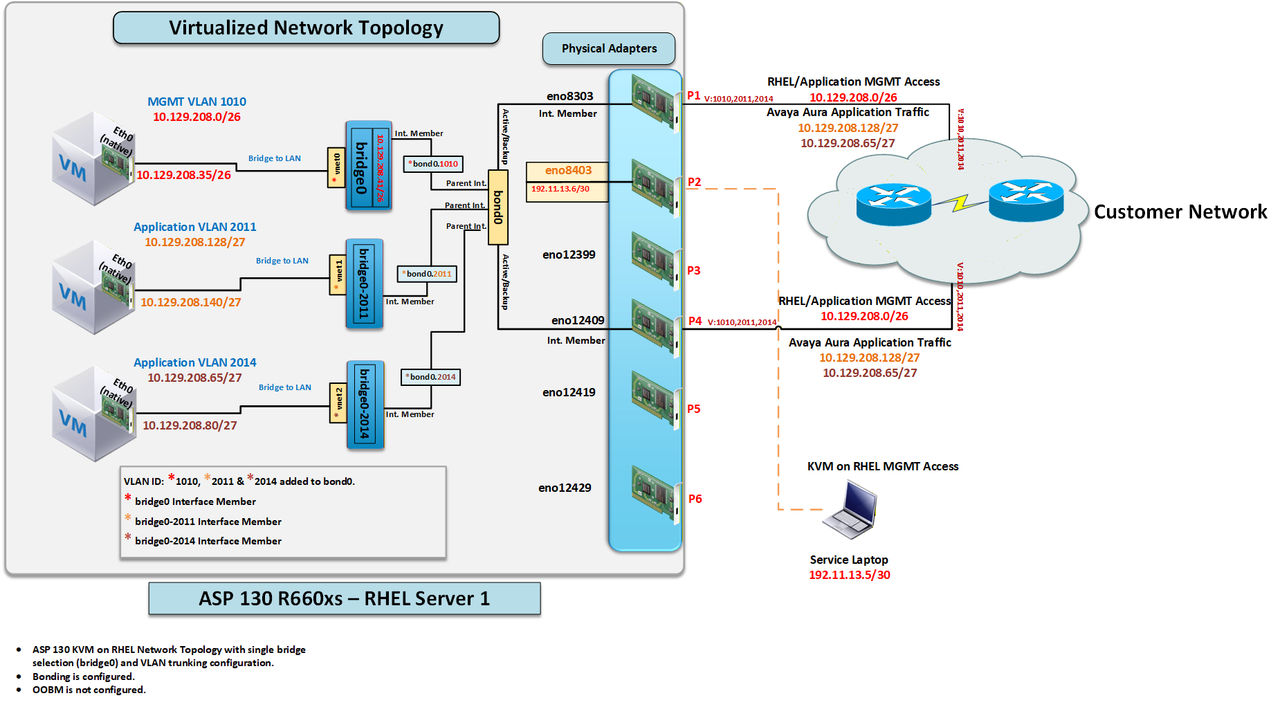
Single bridge selection with VLAN trunking and bonding in an ASP 130 R7.0 – Hypervisor Layer
Note:
This topology can support up to two bonds if necessary, leaving one remaining NIC (physical adapter) available for either Out-of-Band Management (OOBM) or Communication Manager (CM) duplication traffic.
In this topology, each VLAN ID is assigned to the bond rather than the physical adapter.
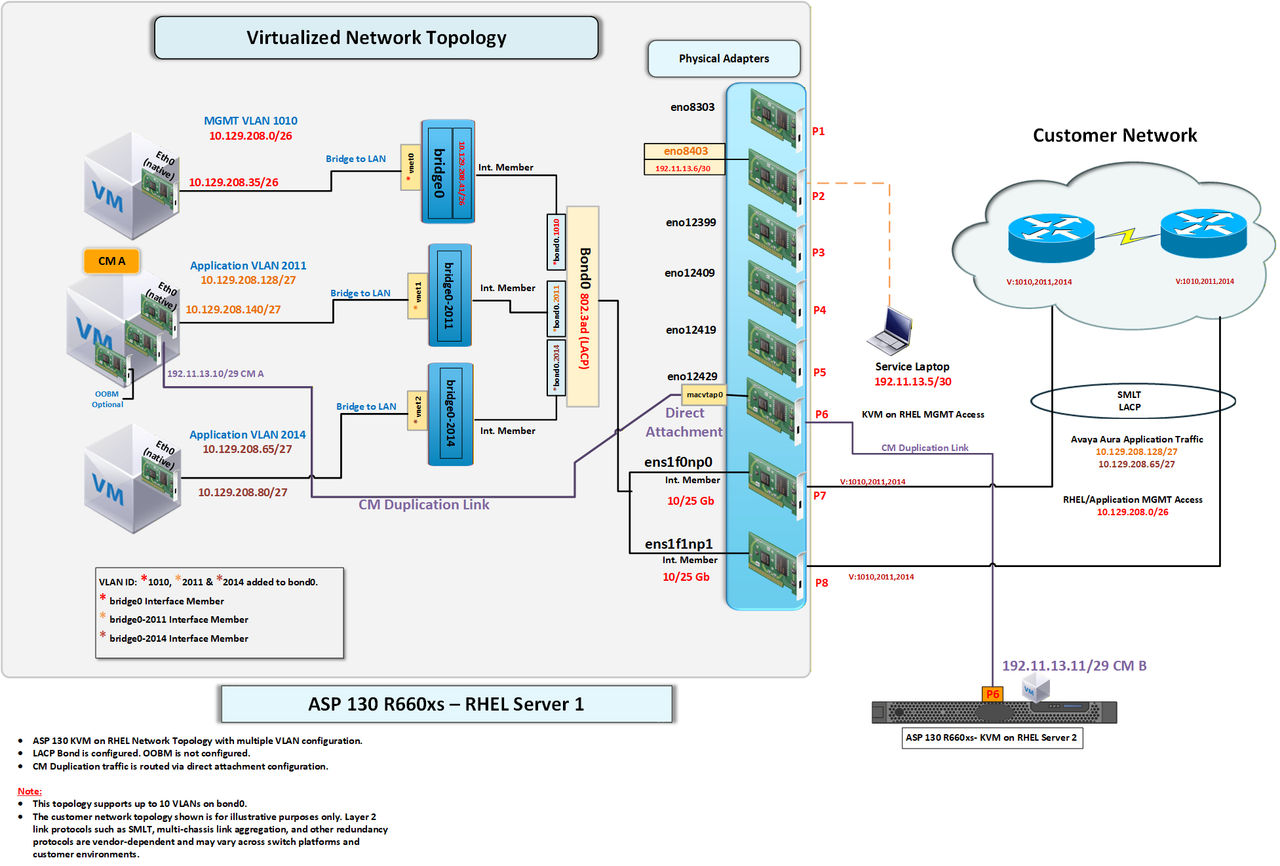
Single bridge selection with VLAN Trunking and LACP bonding in an ASP 130 R7.0 – Hypervisor Layer
Note:
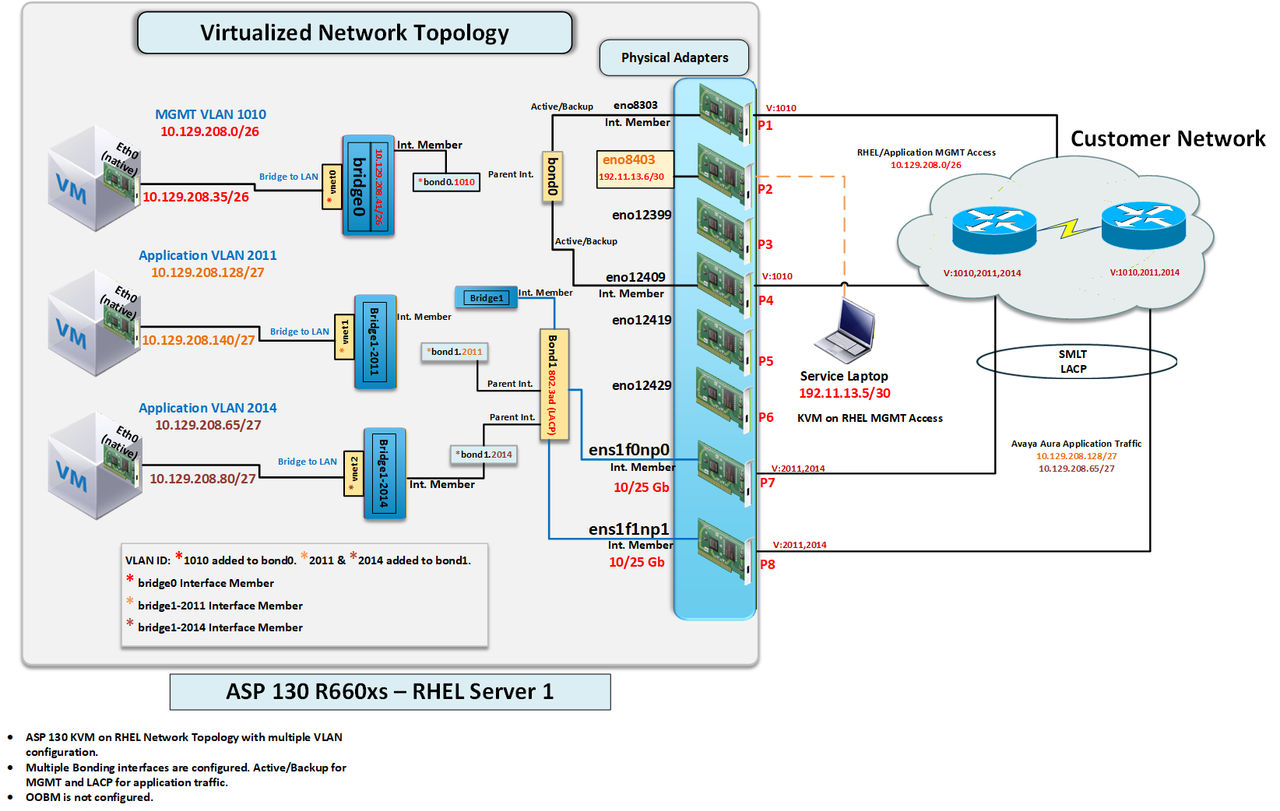
This topology represents a 1 bridge configuration during script selections. 10/25 GbE Ports are only available in Dell R660xs A3/A31 profiles.
Dual bridge selection with bonding configuration in an ASP 130 R7.0 – Hypervisor Layer
Note:
This topology can also be supported with VLANs.
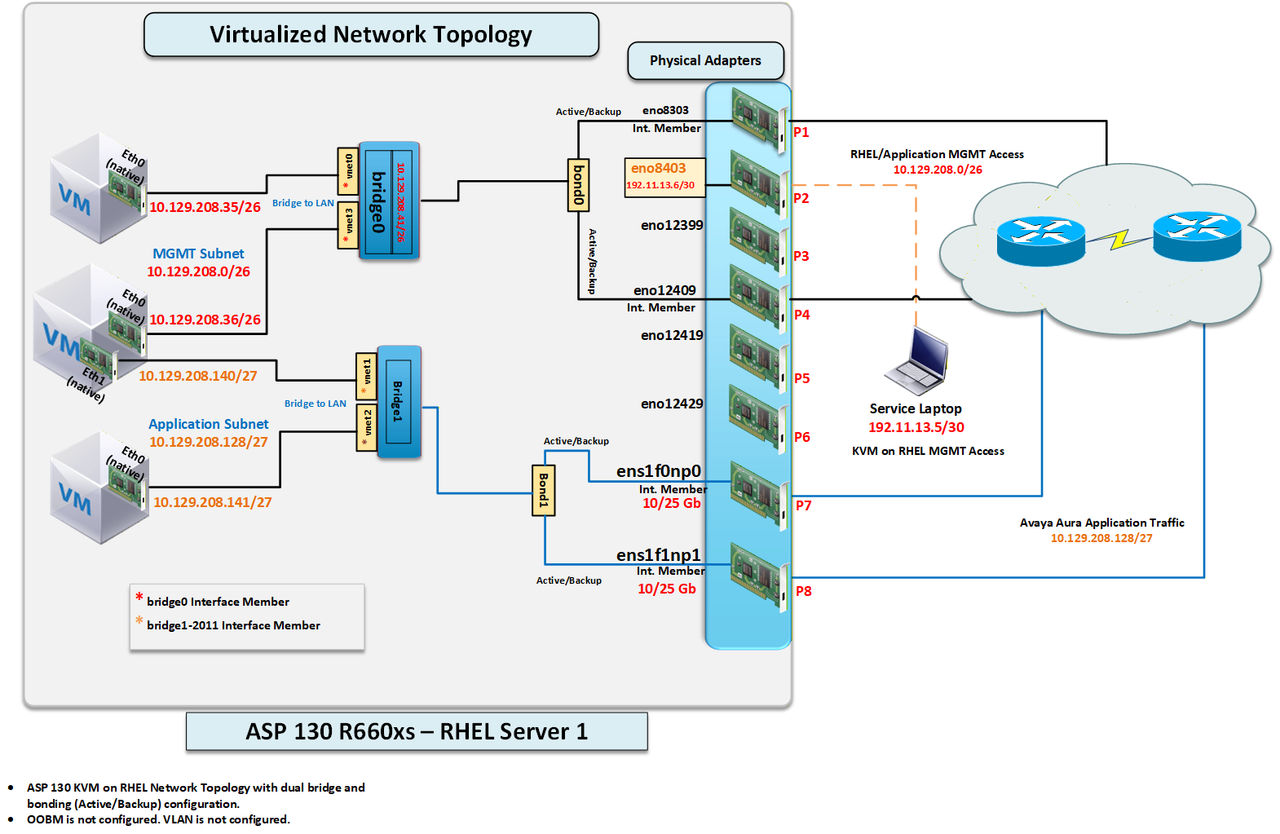
Dual bridge selection with different bonding configurations in an ASP 130 R7.0 – Hypervisor Layer
Note:
This topology can also be supported without VLANs.