AVAYA DOCUMENTATION CENTER
Find answers to your technical questions and learn how to use our products
Installing the Avaya Solutions Platform 130 Series
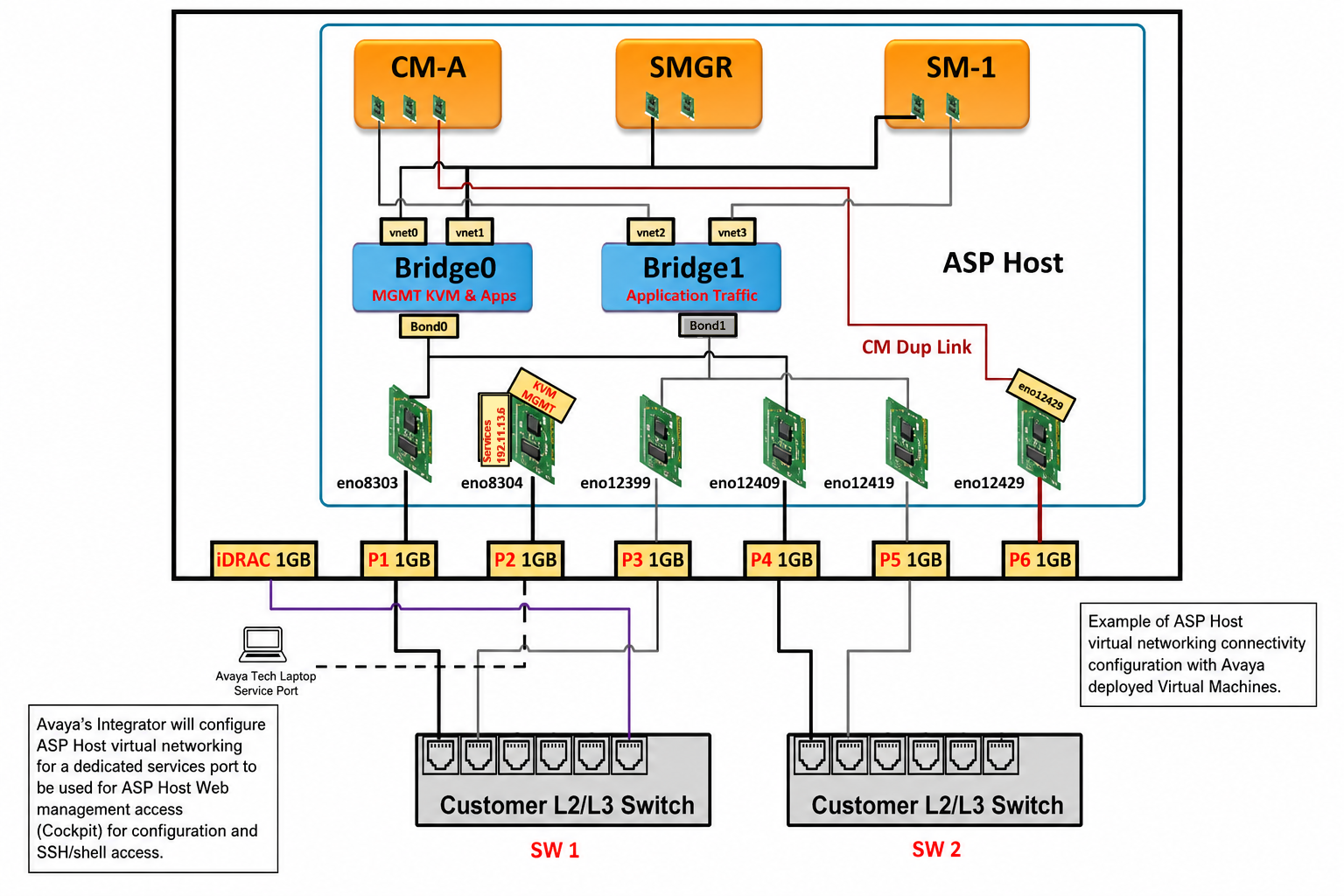
Example of a typical configuration
This drawing is for example purposes only. Before deploying and distributing virtual machines across the ASP 130 servers, verify the solution using the Avaya One Source Configurator (A1SC).
The following illustration represents a sample Application deployment with a configured Services port:
Note:
In ASP R7.x KVM on RHEL 9.6, the bridge “replaces” the ESXi vSwitch and Virtual Machine port group.
|
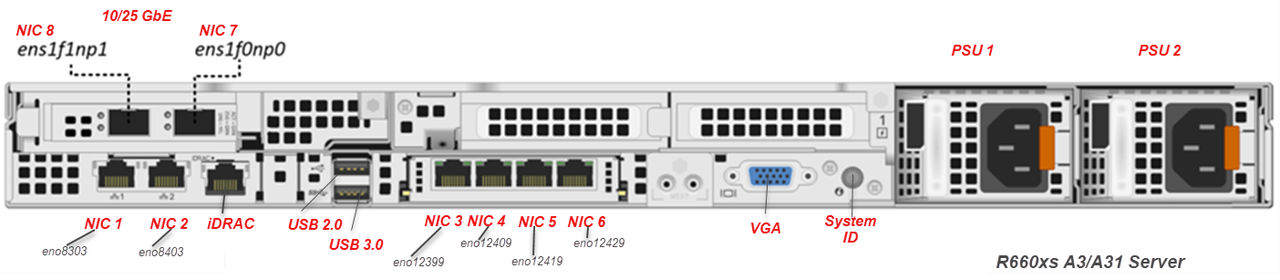
R660xs NIC assignment
|
RHEL eth name
|
Comments
|
|---|---|---|
|
NIC 1
|
eno8303
|
LOM – NIC order left to right
|
|
NIC 2
|
eno8403
|
LOM – Services – NIC order left to right
|
|
NIC 3
|
eno12399
|
1st OCP port – NIC order left to right
|
|
NIC 4
|
eno12409
|
2nd OCP port – NIC order left to right
|
|
NIC 5
|
eno12419
|
3rd OCP port – NIC order left to right
|
|
NIC 6
|
eno12429
|
4th OCP port – NIC order left to right
|
|
NIC 7
|
ens1f0np0
|
10/25GbE in A3 and A31 systems NIC order is right to left
|
|
NIC 8
|
ens1f1np1
|
10/25GbE in A3 and A31 systems. NIC order is right to left
|
This diagram is for the default configuration without bonding (single wires).
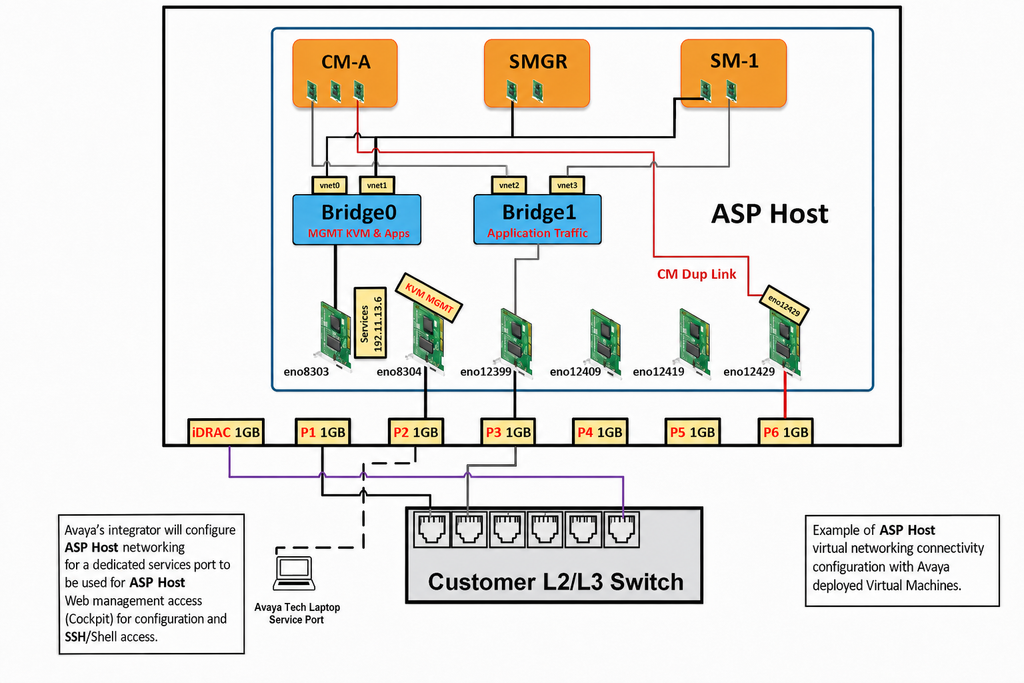
This diagram is for the configuration with bonding (2 wires per bridge) which supports redundancy.