

AVAYA DOCUMENTATION CENTER
Find answers to your technical questions and learn how to use our products
Installing the Avaya Solutions Platform 130 Series
Enabling Autostart on Virtual Machines using the Cockpit UI
Autostart is disabled on the VMs by default and must be enabled manually for the VMs to start automatically after a reboot of the ASP 130 KVM on RHEL host. Conduct the following steps to enable Autostart on a VM:
- Open a web browser to the Cockpit UI https://server_ip_fqdn:9090/ and log in with the custadm credentials.
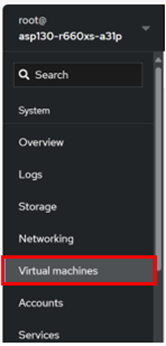
- From the left pane, go to Virtual Machines.
ADDITIONAL INFORMATION:
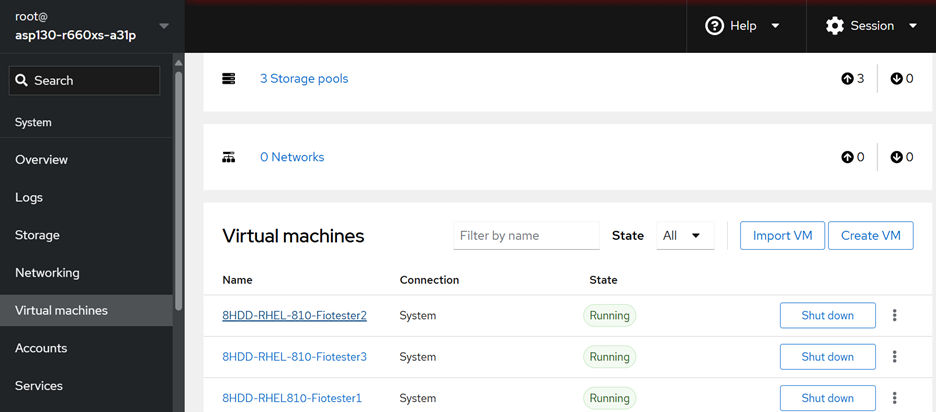
- Click a VM from the list.
ADDITIONAL INFORMATION:
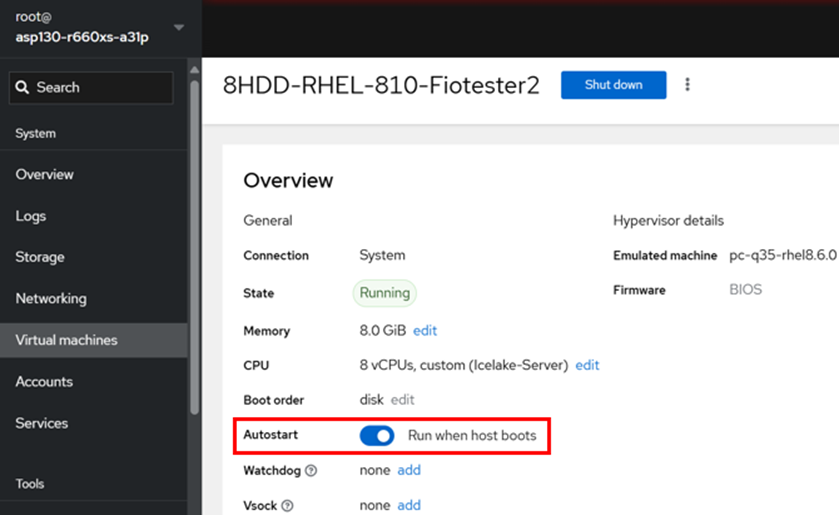
- Under the Overview section, locate Autostart and toggle it on to enable it.
ADDITIONAL INFORMATION:
- Rerun this procedure for all VMs.