

AVAYA DOCUMENTATION CENTER
Find answers to your technical questions and learn how to use our products
Deploying Avaya Wireless DECT with IP Office
Connecting Cables to an AIWS
- Locate the switch sets SW2 and SW3 at the top-right of the AIWS circuit board. Ensure that all the switches are set to Off.
- Locate the LAN port and the J5 power connector. Just below these is a plastic panel. With care remove sufficient parts of the panel to allow cable access to the LAN port and power connector when the AIWS cover is put back.
ADDITIONAL INFORMATION:
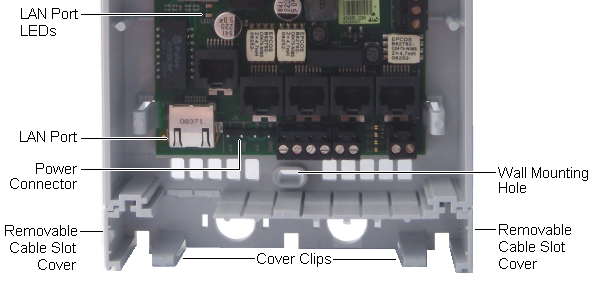
- Connect the LAN cable from the IP Office to the AIWS.
- Connect the power supply cable to the J5 power connector next to the AIWS LAN port.
- Switch on power to the AIWS unit.