

AVAYA DOCUMENTATION CENTER
Find answers to your technical questions and learn how to use our products
Deploying Avaya Wireless DECT with IP Office
Accessing the Base Station Configuration
- Depending on whether DHCP is being used or not:
ADDITIONAL INFORMATION:
-
Connect the base station to the network or PC using the LAN cable.
-
If connected directly to the base station, change your programming PC's network address to 192.168.0.200 with subnet mask 255.255.255.0.
-
If both your PC and the base station are connected to a LAN network with DHCP server, ensure your PC is set to act as a DHCP client or has a fixed address that is valid on the network.
-
Start your web browser and enter the http:// or https:// followed by the IP address of the base station. The default IP address is 192.168.0.1. If a security certificate warning is displayed, select to continue to this website.
-
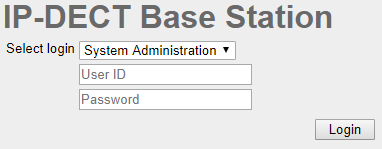
The base station responds with its login menu.
-
Select System administration. Enter the default user name (admin) and password (changeme) and click Login.
-
A summary of the current logins is displayed. Click OK.
-
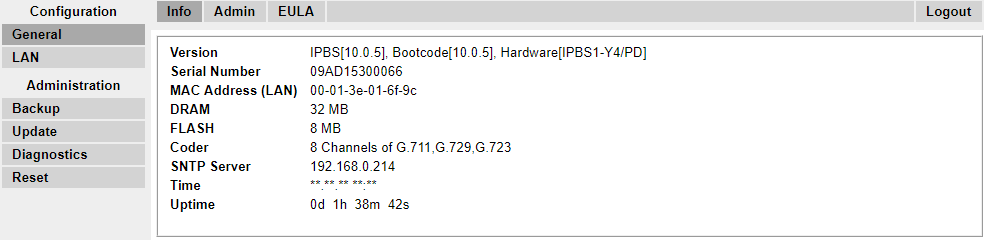
The configuration menu for the base station is displayed.
-
Note the software levels shown in the General | Info menu. These will determine if the base station software needs to be upgraded.
Note:Compact Base Stations have advanced menu options hidden by default. To enable or disable Advanced Administration menus, see Select Administration Mode . -