

AVAYA DOCUMENTATION CENTER
Find answers to your technical questions and learn how to use our products
Deploying Avaya Wireless DECT with IP Office
Phonebook Integration
In a provisioned installation, the phonebook settings are automatically set by the IP Office system. However, use of the IP Office users, groups and directory as part of the DECT phone directory still needs to be enabled if required. If not enabled, the Central Phonebook functions on the DECT phones will not work.
For DECT systems using an AIWS, central phone book provisioning is done via the AIWS. (see Enable Base Station AIWS Connection).
- Select Services.
- Select Phonebook.
- Select Enable.
ADDITIONAL INFORMATION:
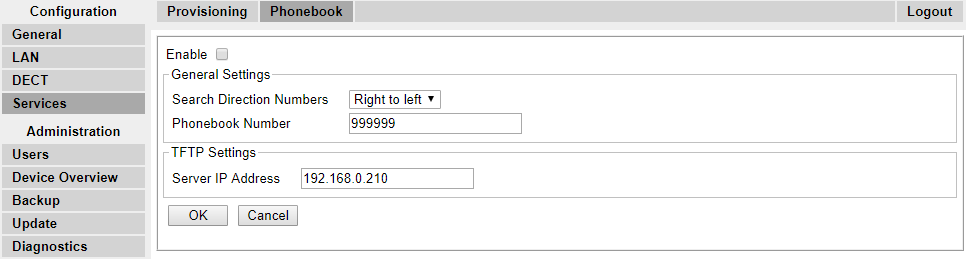
- Click OK.