

AVAYA DOCUMENTATION CENTER
Find answers to your technical questions and learn how to use our products
Deploying Avaya Wireless DECT with IP Office
Selecting Master Mode
You must configure a base station to act as a master base station and configure the master for the type of telephone system it will be operating with.
- Select DECT and then select the Master tab.
ADDITIONAL INFORMATION:

- Change the Mode to Active and click OK. A warning is displayed if the DECT password has not been set. For information on setting the DECT password, see Set the DECT Password.
- Select the Reset in the configuration column.
- Reset the base station.
- Select DECT and then select the Master tab again.
ADDITIONAL INFORMATION:
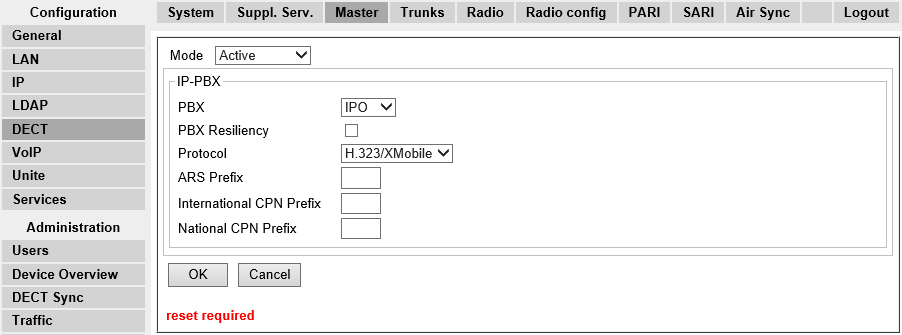
- Change the PBX setting to IPO and click OK.
- Select Reset in the configuration column.
- Reset the base station.