

AVAYA DOCUMENTATION CENTER
Find answers to your technical questions and learn how to use our products
Deploying Avaya Wireless DECT with IP Office
Entering the Radio Settings
Having been configured as the master base station, the radio aspect of the base station can be configured. Note that IP Office does not support use of a standby master base station.
- In the left-hand panel select DECT. Select the Radio tab.
ADDITIONAL INFORMATION:
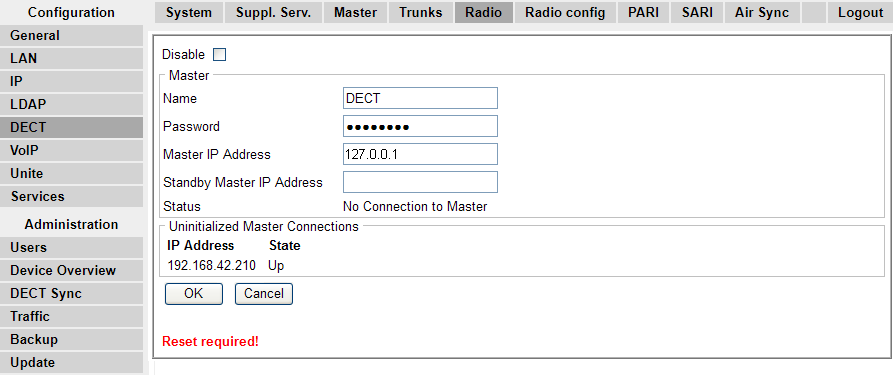
- Set the following values:
ADDITIONAL INFORMATION:
-
NameSet this to match the System Name set on the DECT | System tab.
-
PasswordSet this to match the Password set on the DECT | System tab.
-
Master IP AddressSet the address 127.0.0.1 for the base station to refer to itself. (Alternatively set this to match the IP address assigned to the base station on the LAN | IP tab).
-
Click OK.
-
The message Reset required! is displayed. At this stage further changes are required so do not reset the base station.
-
-