

AVAYA DOCUMENTATION CENTER
Find answers to your technical questions and learn how to use our products
Deploying Avaya Wireless DECT with IP Office
Creating User Entries
Subscription requires a user entry within the master base station configuration. On completion of subscription, matching extension and user entries are automatically created in the IP Office configuration.
- In the left-hand panel, select Users under the Administration menu. Select the Users tab.
ADDITIONAL INFORMATION:
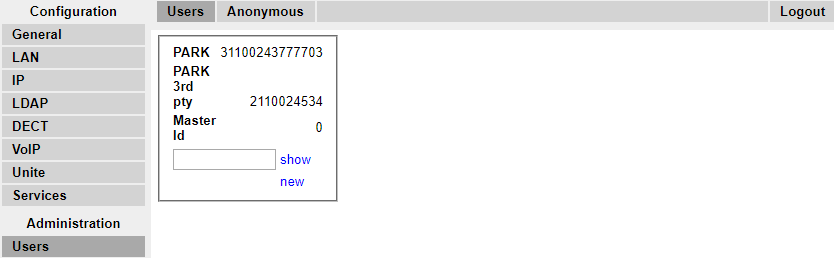
- Click new. A dialogue is displayed for entry of user details.
ADDITIONAL INFORMATION:
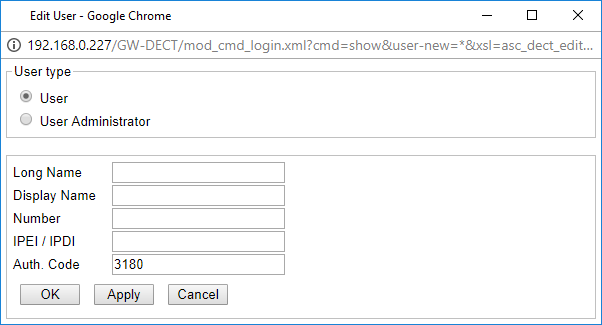
- Enter the user details:
ADDITIONAL INFORMATION:
-
Long NameThis name is used for information within the Avaya Wireless DECT system settings.
-
Display NameThis name displayed on the phone when idle. It is also the name used for the user created in the IP Office configuration. The name must be unique.
-
NumberThis will be the extension number of the phone on both the IP Office and Avaya Wireless DECT systems. The number must be unique.
Note:The remaining two fields should not be completed if you want to use anonymous subscription. This removes the requirement of knowing the phone IPEI numbers during installation.-
IPEI/IPDIThe phones IPEI number. For 3720, 3725 phones this is printed on the label inside the phones battery compartment. The IPEI can also be viewed from the phone UI.
-
Auth. CodeThe account code that should be used when the phone is subscribed.
-
Click OK.
-
Repeat the process for any other phones that you want to subscribe.
-
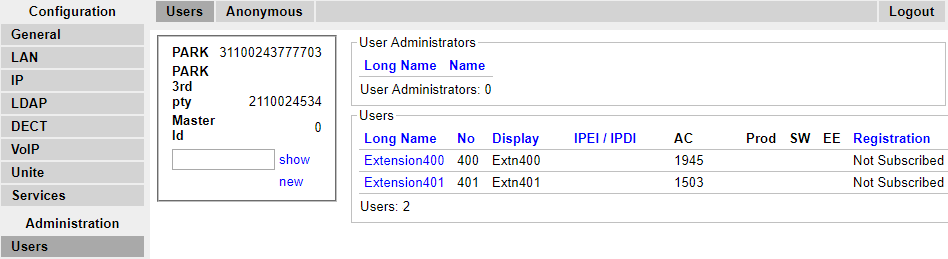
Within the Users | Users tab, click on show to display a list of the configured users.
-
The phones configured will be displayed. You can now begin subscribing the phones.
-